
MÉDIA WORDPRESS
Intégrations multimédias de WordPress pour REEID Translate
Découvrez la compatibilité documentée avec les plugins multimédias de WordPress pour les titres, légendes, textes alternatifs et descriptions multilingues, tout en préservant les ressources média.
COMPATIBILITÉ MULTIMÉDIA
Parcourez les intégrations multimédias de WordPress.
Trouvez les guides de compatibilité publiés pour les plugins multimédias et les métadonnées textuelles prises en charge dans les flux de travail multilingues de WordPress.

JennyStudio Identicons
JennyStudio Identicons — Generates Material Design-style vector avatars based on user names to replace default mystery man and Gravatar images.

Jetpack VideoPress
Jetpack VideoPress — Provides a WordPress-integrated video library for uploading and managing videos from the media library and editor.

jharm AI Featured Image
jharm AI Featured Image — One-click AI featured image generation directly from the WordPress Block Editor sidebar

Jhon990 Download Cards & Comic Reader
Jhon990 Download Cards & Comic Reader — Provides a shortcode-based comic reader that displays user-supplied image URLs in a page-by-page format.

JL Image Attributes
JL Image Attributes — {"task": "Research factual plugin behavior for compatibility context only. Do not extract translation-surface observations.", "plugin_identity": {"name": "JL Image Attributes", "slug": "jl-image-attributes", "homepage_url": "", "plugin_url": ""}, "official_search_domains": ["wordpress.org"], "rules": ["Return one JSON object only.", "Use only facts supported by supplied plugin evidence or web research from the allowed official domains.", "Use web search only when supplied evidence is insufficient.", "For web research, use only first-party vendor/product documentation and WordPress.org sources within official_search_domains.", "Do not use reviews, blogs, forums, aggregators, search snippets, or third-party documentation as evidence.", "Do not invent plugin behavior, capabilities, settings, or integrations.", "Do not decide REEID compatibility, translation support, approval, or eligibility.", "Follow category_research.rules for what to investigate in this Integration Category.", "Return observations as an empty list.", "Return 4 to 8 concise high-value factual capabilities in features.", "Group related implementation details into broader capability statements.", "Prefer stable product capabilities over minor settings or repeated variations.", "Do not include ratings, installation counts, version requirements, or promotional claims.", "Use unknowns only for materially relevant facts that official evidence does not establish.", "seo_display_name must be the shortest distinctive search-facing product or brand identity that can be copied exactly as one contiguous phrase from plugin_identity.name. Preserve the exact capitalization, spelling, and punctuation used in plugin_identity.name. Never invent, rename, expand, normalize, lowercase, or substitute the plugin brand. Remove generic leading or trailing descriptors when a shorter distinctive product or brand phrase is present, including terms such as Plugin, WordPress Plugin, Page Builder, Website Builder, WooCommerce, Forms, SEO, Addons, Widgets, Templates, Booking, Membership, or similar category/marketing wording. The distinctive brand may appear at the beginning, middle, or end of plugin_identity.name; for example, a title shaped like generic description – Brand should return Brand when Brand is clearly the product identity. When a short distinctive acronym, product token, or branded abbreviation appears after a separator and clearly identifies the plugin, prefer that exact token over the preceding generic description; for example Database Addon for Contact Form 7 – CFDB7 should return CFDB7. Use plugin_identity.slug only as an identity clue, not as output text unless that exact casing and phrase also appears in plugin_identity.name. If no shorter distinctive product or brand phrase can be selected safely, return the full plugin_identity.name.", "seo_keyword_candidates must contain 2 to 4 concise plugin-specific identity phrases based on seo_display_name, plugin_identity.name, and plugin_identity.slug. When the slug corresponds to a brand or product phrase present in the official name, include that phrase as a candidate. Do not return generic category-only phrases and do not assert REEID compatibility, verification, translation support, or other unsupported state claims."], "category_research": {"integration_category": "Media", "mode": "compatibility_only", "rules": ["Research factual media-plugin behavior relevant to compatibility, including media metadata, galleries, captions, attachment handling, and rendering.", "This Integration Category is compatibility-only.", "Do not research, infer, or emit translation-surface observations.", "Return observations as an empty list.", "Use features and unknowns only for factual compatibility context."], "evidence_focus": {"integration_category": "Media", "look_for_literal_terms": []}, "output_schema": {"observations": [{"text": "", "evidence": "", "source_url": ""}], "features": [], "unknowns": [], "seo_display_name": "", "seo_keyword_candidates": []}, "evidence": {"description": "Automatically fills in the title, alt and description attributes of images when uploading.", "sections": {"installation": "Upload jl-image-attributes folder to the /wp-content/plugins/ directory\n Activate the JL Image Attributes plugin through the ‘Plugins’ menu in WordPress"}}}

Johneid Image Slider and Logo Carousel
Johneid Image Slider and Logo Carousel — Supports Hero Style Single Image Sliders and Multi-Logo Responsive Thumbnail Rows

Jorgemon Gallery Layout
Jorgemon Gallery Layout — Official plugin information documents its primary functionality.

Jotform – Widgets for Google Reviews
Jotform – Widgets for Google Reviews — Displays live Google Business profile reviews in customizable, responsive widgets (auto-updating/syncing with new ratings/comments).

JPrompt Description Editor with TinyMCE for NextGEN Gallery
JPrompt Description Editor with TinyMCE for NextGEN Gallery — Integrates WordPress native WYSIWYG editor into NextGEN Gallery description fields

jQuery Lightbox For Native Galleries
jQuery Lightbox For Native Galleries — Makes native WordPress galleries open full-size images in a ColorBox lightbox overlay.
JR Post to Photocard Maker
JR Post to Photocard Maker — , generates high-quality PNG images from WordPress post content or custom inputs using html2canvas, supporting transparent backgrounds.

JS Crop
JS Crop — Crop images via drag-and-drop or file browsing on the front end for logged-in users

JSM Adobe XMP / IPTC for WordPress
JSM Adobe XMP / IPTC for WordPress — Extracts Adobe XMP and IPTC metadata from WordPress Media Library images

JSM Inherit Parent Featured Image
JSM Inherit Parent Featured Image — , automatically assigns a featured image to posts, pages, or custom post types by inheriting the first available featured image from their parent hierarchy (parent, grand-parent, etc.) when no direct featured image is set.

JSM Screenshot Machine Shortcode
JSM Screenshot Machine Shortcode — , shortcode-based integration with Screenshot Machine API for embedding webpage screenshots into content.

JSON API Cincopa
JSON API Cincopa — unknowns: []}

JT Media Folders
JT Media Folders — Media Library folder organization: create, edit, and delete media folders/categories from the WordPress admin under Media > Library.

JTZL's SwipeComic
JTZL's SwipeComic — Integrates PhotoSwipe 5 for immersive lightbox viewing with touch-optimized swipe navigation, pinch-to-zoom, and drag-to-pan gestures.

Juicer.io: The Best Social Photo Feed – Posts, Reels, Stories and more
Juicer.io: The Best Social Photo Feed – Posts, Reels, Stories and more — Aggregates and displays Instagram content including Posts, Reels, and Stories based on usernames or hashtags.
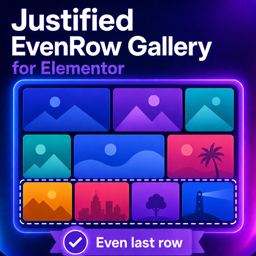
Justified EvenRow Gallery for Elementor
Justified EvenRow Gallery for Elementor — Adds a lightweight justified image gallery widget for Elementor, intended to balance image rows (including the last row) for a mosaic layout.

Justified Gallery
Justified Gallery displays WordPress galleries in a responsive justified image grid with lightbox viewing and support for Gutenberg and Classic Editor gallery use.

JVM Rich Text Icons
JVM Rich Text Icons — Inline icon insertion into WordPress rich text fields and headings/lists/buttons via a block editor toolbar icon picker (inserts a small HTML tag styled by the chosen icon set).

JW Player for WordPress
JW Player for WordPress — Publishes self-hosted and cloud-hosted videos via JW Player integration.

Kaddora Image Alt Text Auto Generator
Kaddora Image Alt Text Auto Generator — Generates alt text suggestions locally from filenames and WordPress media data without external API calls or image pixel analysis.