
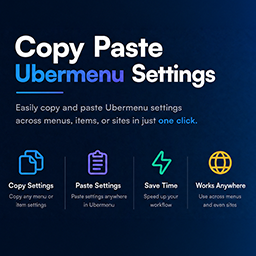
COPY PASTE UBERMENU SETTINGS
Copy Paste Ubermenu Settings compatibility with REEID Translate
Copy Paste Ubermenu Settings compatibility with REEID Translate is being reviewed using official plugin documentation. Adds admin-only Copy/Paste controls for UberMenu menu item settings on the classic WordPress navigation screen (Appearance → Menus). No specific text shown to visitors is currently confirmed for translation.
AWAITING VERIFICATION
What Copy Paste Ubermenu Settings does
Official plugin information supports the compatibility context documented for this category.
MANUAL REVIEW
This integration has not yet been manually verified by REEID.
PLUGIN PROFILE
Copy Paste Ubermenu Settings is documented in the Navigation category with 7 documented features.
DOCUMENTATION REVIEW
We use official plugin documentation to describe what the plugin does. Translation support is listed only for text that can be identified and tested.
PLUGIN INFORMATION
What the plugin does
Plugin capabilities
- Adds admin-only Copy/Paste controls for UberMenu menu item settings on the classic WordPress navigation screen (Appearance → Menus).
- Copy operation stores a specific menu item's UberMenu settings and makes them available for pasting to another menu item.
- Paste operation applies copied UberMenu settings to another menu item after user confirmation, using the plugin’s admin UI controls.
- Supports two transfer modes: same-site mode uses browser local storage by default; cross-site mode uses the system clipboard (JSON) and requires a secure context (HTTPS) plus Clipboard API support.
- Provides a settings page under Appearance → UM Copy/Paste to enable/disable cross-site copy/paste mode.
- Requires UberMenu to be installed and active; without UberMenu, the copy/paste controls are not loaded.
- Not compatible with Full Site Editing (FSE)/block themes that manage navigation in the Site Editor instead of Appearance → Menus; it only extends the UberMenu settings UI on that wp-admin screen.
TRANSLATION BOUNDARY
Copy Paste Ubermenu Settings capabilities and translatable content are documented separately.
Official documentation describes the plugin functionality, but does not currently identify specific text shown to visitors that can be translated.
A feature is not considered translatable unless it includes text that users can read.
LIMITATIONS & QA
Verification notes
- This integration is documented for compatibility context. Visitor-facing translation scope is not listed for this category.
RELATED GUIDES
Explore more compatibility guides.
COMPATIBILITY INFORMATION
Evaluate Copy Paste Ubermenu Settings in a multilingual WordPress workflow.
REEID documents Copy Paste Ubermenu Settings functionality separately from confirmed translation support so the distinction is clear.
Supported content will be listed when specific translatable text is identified in the official documentation.