
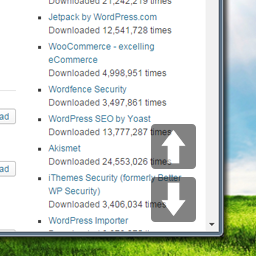
SMOOTH PAGE SCROLL UP/DOWN BUTTONS
Smooth Page Scroll Up/Down Buttons compatibility with REEID Translate
Smooth Page Scroll Up/Down Buttons compatibility with REEID Translate is being reviewed using official plugin documentation. Its primary capability is to add smooth scrolling buttons that enable site visitors to scroll up or down exactly one screen or page at a time. No specific text shown to visitors is currently confirmed for translation.
AWAITING VERIFICATION
What Smooth Page Scroll Up/Down Buttons does
Official plugin information supports the compatibility context documented for this category.
MANUAL REVIEW
This integration has not yet been manually verified by REEID.
PLUGIN PROFILE
Smooth Page Scroll Up/Down Buttons is documented in the Other category with 6 documented features.
DOCUMENTATION REVIEW
We use official plugin documentation to describe what the plugin does. Translation support is listed only for text that can be identified and tested.
PLUGIN INFORMATION
What the plugin does
Plugin capabilities
- Its primary capability is to add smooth scrolling buttons that enable site visitors to scroll up or down exactly one screen or page at a time.
- The plugin offers optional configuration for an additional 'Back to top' button that instantly returns the visitor to the very beginning of the page.
- Administrators can customize button positioning through four predefined layout templates, including side-by-side or stacked arrangements at the bottom right, or split placement at top and bottom right corners.
- Settings allow users to define specific scrolling distances per click, with options for full page, half page, or custom pixel values.
- The interface provides controls to adjust both the physical size of the navigation buttons and the animation speed of the scrolling effect.
- The tool functions as a no-code solution, requiring no knowledge of HTML, CSS, JavaScript, or PHP to install and configure basic settings.
TRANSLATION BOUNDARY
Smooth Page Scroll Up/Down Buttons capabilities and translatable content are documented separately.
Official documentation describes the plugin functionality, but does not currently identify specific text shown to visitors that can be translated.
A feature is not considered translatable unless it includes text that users can read.
LIMITATIONS & QA
Verification notes
- This integration is documented for compatibility context. Visitor-facing translation scope is not listed for this category.
RELATED GUIDES
Explore more compatibility guides.
COMPATIBILITY INFORMATION
Evaluate Smooth Page Scroll Up/Down Buttons in a multilingual WordPress workflow.
REEID documents Smooth Page Scroll Up/Down Buttons functionality separately from confirmed translation support so the distinction is clear.
Supported content will be listed when specific translatable text is identified in the official documentation.