
DAFTAR KOMPATIBILITAS REEID
Jelajahi produk WordPress dan kompatibilitasnya dengan REEID Translate.
Telusuri plugin, tema, pembangun situs, dan ekosistem produk WordPress, lengkap dengan status kompatibilitas dan detail integrasi untuk REEID Translate Pro.
Integrasi terverifikasi · Informasi kompatibilitas · Produk yang menunggu verifikasi · Direktori yang dapat dicari
CARA KERJA DIREKTORI
Informasi kompatibilitas, dikelola dari satu sumber.
Temukan produk yang relevan dengan tumpukan WordPress Anda dan periksa status kompatibilitas REEID mereka saat ini.
- Cari berdasarkan nama produk
- Menelusuri status kompatibilitas
- Buka panduan integrasi yang tersedia
PANDUAN KOMPATIBILITAS YANG TELAH DITERBITKAN
Jelajahi ekosistem WordPress dengan REEID Translate.
Cari berdasarkan nama produk untuk melihat status kompatibilitas, dokumentasi integrasi yang tersedia, dan alur kerja multibahasa yang didukung.

Admin Notes Widget By Website14
Admin Notes Widget By Website14 — Adds a sticky notes widget to the WordPress dashboard for quick reminders and to-do lists.

Admin Notify
Admin Notify — Sends email notifications to administrators when any user account is added.

Admin Optimizer – Performance, Security & Site Cleanup
Admin Optimizer – Performance, Security & Site Cleanup — Database optimization and cleanup including stale data removal, table optimization, and scheduled maintenance.

Admin Options Pages
Admin Options Pages — No-code creation of custom WordPress admin options menus, pages, and fields
Admin Order Notes & Status Highlighter
Admin Order Notes & Status Highlighter — HIGHLIGHTS WOO COMMERCE ORDER NOTES WITH CUSTOM BACKGROUND COLORS

Admin Page Notes
Admin Page Notes — , adds a meta box to the post/page editor for administrators to input notes

Admin Page Spider
Admin Page Spider — Dynamically generates navigation menus within the WordPress Admin Bar for quick access to content.

Admin Plugins Description
Admin Plugins Description — Adds custom descriptions or notes to individual plugins in the WordPress admin interface
Admin Posts Navigation
Admin Posts Navigation — Provides previous and next post navigation directly within the WordPress admin editor interface, eliminating the need to return to the post list.

Admin Powerups for WooCommerce
Admin Powerups for WooCommerce — Advanced order search by SKU, total, coupon, note, phone, email, and custom fields
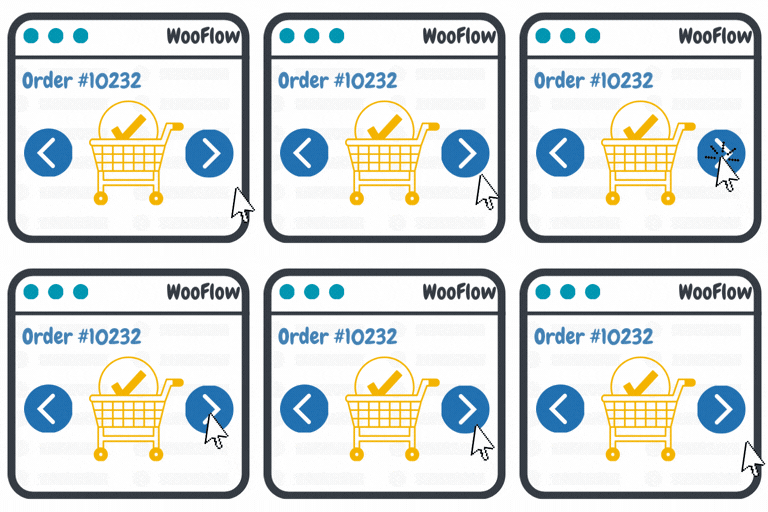
Admin Previous and Next Order Edit Links for Woocommerce
Admin Previous and Next Order Edit Links for Woocommerce — Adds a “previous order” button on the WooCommerce order edit screen when a previous order exists.

Admin Robots.txt Editor
Admin Robots.txt Editor — dual-mode robots.txt management supporting both physical file editing and WordPress filter integration

Admin Safety Guard — Login Security, Limit Logins, 2FA & Brute Force Protection
Admin Safety Guard — Login Security, Limit Logins, 2FA & Brute Force Protection — Enforces login attempt limits across wp-login.php, XML-RPC, and application passwords with configurable IP lockouts and trusted address whitelisting.

Admin Screenshots
Admin Screenshots — Adds a screenshot button to all WordPress admin dashboard pages
Admin Search
Admin Search — Aggregates search results from posts, pages, media, taxonomies, comments, users, and admin pages into a unified interface

Admin Shift
Admin Shift — Provides a dropdown menu at the top of the WordPress dashboard to switch widget layouts.
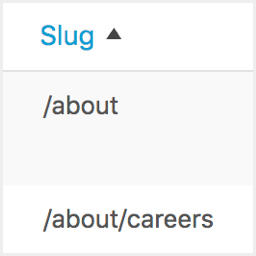
Admin Slug Column
Admin Slug Column — Adds a URL path column to admin edit screens for post types, including posts, pages, and custom post types.
Admin Sticky Sidebar
Admin Sticky Sidebar — Sticky right sidebar on post.php editor pages

Admin Tailor – Professional Brand Customizer
Admin Tailor – Professional Brand Customizer — Customizes the WordPress login page with branded logos, color schemes, background images, and form styling.

Admin Taxonomy Filter
Admin Taxonomy Filter — Filters posts and custom post types in the WordPress admin post list table by custom taxonomies.
Admin Toolbar Live Clock
Admin Toolbar Live Clock — Displays live ticking time and date in the WordPress admin toolbar with digital or analog modes

Admin Toolbar Visibility Control
Admin Toolbar Visibility Control — Role-based control to hide the front-end WordPress admin toolbar for selected customer-facing roles while keeping administrators protected
Admin Toolbox
Admin Toolbox — Two-Factor Authentication (2FA) via email with optional SMS support in PRO version

Admin Tools
Admin Tools — Hide admin menus and sub-menus (navigation elements) for selected users/roles.