
DAFTAR KOMPATIBILITAS REEID
Jelajahi produk WordPress dan kompatibilitasnya dengan REEID Translate.
Telusuri plugin, tema, pembangun situs, dan ekosistem produk WordPress, lengkap dengan status kompatibilitas dan detail integrasi untuk REEID Translate Pro.
Integrasi terverifikasi · Informasi kompatibilitas · Produk yang menunggu verifikasi · Direktori yang dapat dicari
CARA KERJA DIREKTORI
Informasi kompatibilitas, dikelola dari satu sumber.
Temukan produk yang relevan dengan tumpukan WordPress Anda dan periksa status kompatibilitas REEID mereka saat ini.
- Cari berdasarkan nama produk
- Menelusuri status kompatibilitas
- Buka panduan integrasi yang tersedia
PANDUAN KOMPATIBILITAS YANG TELAH DITERBITKAN
Jelajahi ekosistem WordPress dengan REEID Translate.
Cari berdasarkan nama produk untuk melihat status kompatibilitas, dokumentasi integrasi yang tersedia, dan alur kerja multibahasa yang didukung.

Debloat – Remove Unused CSS, Optimize JS
Debloat – Remove Unused CSS, Optimize JS — Optimizes CSS delivery to reduce render-blocking, including minifying and inlining CSS.

Debloat for WooCommerce
Debloat for WooCommerce — Disables WooCommerce Admin features, including Analytics, Home dashboard, and Notification Bar to reduce server resource usage.

DeBlocker Plus
DeBlocker Plus — Detects ad blockers and displays customizable popups or overlays

Debmedia WebPush
Debmedia WebPush — Integrates WordPress with the external PushPro service to enable browser push notifications without requiring user email addresses or app installations.

DeBounce Email Validator
DeBounce Email Validator — Validates email addresses in real-time for WordPress forms including WooCommerce, Contact Form 7, Gravity Forms, and WPForms.

Debrandify · Remove or Replace WordPress Branding
Debrandify · Remove or Replace WordPress Branding — Customizes WordPress dashboard and email branding by removing or replacing default logos and text

Debug
Debug — Toggles core WordPress debug constants (WP_DEBUG, WP_DEBUG_LOG, WP_DEBUG_DISPLAY, SCRIPT_DEBUG, SAVEQUERIES) via admin UI without manual wp-config.php editing
Debug Bar – Enable WP_DEBUG from admin dashboard
Debug Bar – Enable WP_DEBUG from admin dashboard — Toggles WP_DEBUG mode via a single click on the Admin Toolbar
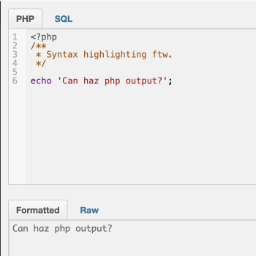
Debug Bar Console
Debug Bar Console — , adds a PHP console to the WordPress debug bar for executing code snippets

Debug Bar Rewrite Rules
Debug Bar Rewrite Rules — Displays the current rewrite rules for the WordPress site within the Debug Bar interface.

Debug Console for PHP
Debug Console for PHP — Provides comprehensive logging methods including log, info, warn, error, group, assert, count, table, trace, and time.

Debug log admin viewer
Debug log admin viewer — Modifies debug-related constants in wp-config.php directly from the WordPress admin panel

Debug Log Manager – Conveniently Monitor and Inspect Errors
Debug Log Manager – Conveniently Monitor and Inspect Errors — Can enable and disable WP_DEBUG from the WordPress admin without manually editing wp-config.php.
Debug Log Manager Tool
Debug Log Manager Tool — Admin-side debug log viewing and management: read, search, filter/group, copy, and clear entries from `wp-content/debug.log` via a WordPress admin UI.
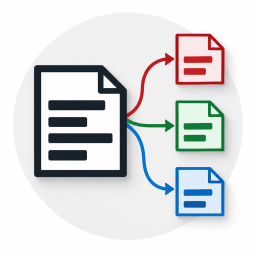
Debug Log Router
Debug Log Router — Routes WordPress debug logs into seven distinct files based on request context (front, admin, ajax, rest, cron, cli, xmlrpc)

Debug Log Viewer
Debug Log Viewer — Provides a real-time log viewer interface within the WordPress admin dashboard to monitor debug.log entries without external file access.

Debug Manager Pro
Debug Manager Pro — Toggles WordPress debug constants (WP_DEBUG, WP_DEBUG_LOG, etc.) via UI without modifying wp-config.php directly.
Debug MO Translations
Debug MO Translations — Displays debug information about all loaded translation domains and MO files in the WordPress installation
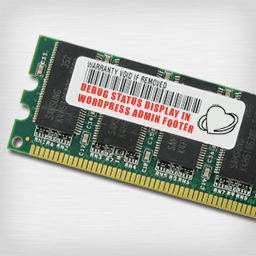
Debug Status display
Debug Status display — Displays WP_DEBUG status in the admin footer with visual indicators (orange for active, strikethrough for inactive)

Debug Suite
Debug Suite — Provides a browser-based PHP REPL (Query Console) allowing developers to execute code against the live WordPress runtime directly from the admin bar.

Debug Switch
Debug Switch — Toggles WordPress debug mode on and off via plugin activation state
Debug This
Debug This — Investigates WordPress installation details via front-end admin bar, including WP_Query objects, blog options, embed providers, and rendered HTML files.

Debug Toggle
Debug Toggle — Enables or disables individual WordPress debug constants such as WP_DEBUG, WP_DEBUG_LOG, WP_DEBUG_DISPLAY, SCRIPT_DEBUG, and SAVEQUERIES from the dashboard.
DebugBundle
DebugBundle — Captures PHP errors, uncaught exceptions, and fatal shutdowns from the WordPress backend.