
DAFTAR KOMPATIBILITAS REEID
Jelajahi produk WordPress dan kompatibilitasnya dengan REEID Translate.
Telusuri plugin, tema, pembangun situs, dan ekosistem produk WordPress, lengkap dengan status kompatibilitas dan detail integrasi untuk REEID Translate Pro.
Integrasi terverifikasi · Informasi kompatibilitas · Produk yang menunggu verifikasi · Direktori yang dapat dicari
CARA KERJA DIREKTORI
Informasi kompatibilitas, dikelola dari satu sumber.
Temukan produk yang relevan dengan tumpukan WordPress Anda dan periksa status kompatibilitas REEID mereka saat ini.
- Cari berdasarkan nama produk
- Menelusuri status kompatibilitas
- Buka panduan integrasi yang tersedia
PANDUAN KOMPATIBILITAS YANG TELAH DITERBITKAN
Jelajahi ekosistem WordPress dengan REEID Translate.
Cari berdasarkan nama produk untuk melihat status kompatibilitas, dokumentasi integrasi yang tersedia, dan alur kerja multibahasa yang didukung.

Disable auto-update Email Notifications
Disable auto-update Email Notifications is a WordPress plugin that suppresses email alerts for plugin and theme auto-updates while leaving other notifications enabled.

Disable Block – Hide blocks in the frontend
Disable Block – Hide blocks in the frontend — Adds a toolbar button to disable blocks on the frontend

Disable Block Editor FullScreen mode
Disable Block Editor FullScreen mode — Disables the default fullscreen mode of the WordPress block editor.

Disable Blog
Disable Blog — Disables the built-in blog/post system when activated, including the core `post` type.

Disable Browser Telephone Format Detection
Disable Browser Telephone Format Detection — Injects the format-detection meta tag into the site head

Disable Bulk Smush Limit of Smush Image Optimization
Disable Bulk Smush Limit of Smush Image Optimization — Removes the free-version bulk processing limit of Smush Image Optimization (increasing bulk smush capacity beyond the stated 50-images-at-a-time restriction).

Disable cart page for WooCommerce
Disable cart page for WooCommerce — Bypasses the WooCommerce cart page and redirects customers to checkout.

Disable Client Side Media
Disable Client Side Media — Disables browser-based media processing to force server-side handling of uploads
Disable Commands – Custom Key Binding in Command Palette
Disable Commands – Custom Key Binding in Command Palette — Disables the WordPress admin command palette script (wp-commands) and its associated command-bar via a toggle setting.

Disable Comment Author Links
Disable Comment Author Links — , strips all HTML tags from the output of get_comment_author_link to prevent hyperlinking, removes hyperlinks from comment author names across site themes, modifies core WordPress comment template behavior for author links, prevents external website URLs provided by commenters from linking via author names

Disable Comments
Disable Comments — Disables comments functionality across both the WordPress backend and frontend.

Disable Comments
Disable Comments is a WordPress plugin for turning off comments on posts, pages, and custom post types, with related comment surfaces also documented in the supplied evidence.

Disable Comments – No Comments & No Spam
Disable Comments – No Comments & No Spam — Disables comments, trackbacks, and pingbacks across all post types site-wide

Disable Comments by click5
Disable Comments by click5 — Global disabling of comments, trackbacks, and pingbacks across all post types including custom post types

Disable Comments Selectively
Disable Comments Selectively — Allows selective disabling of comments based on post types, taxonomies, and specific terms via Discussion Settings.

Disable CSS JS Cache
Disable CSS JS Cache — Appends dynamic version parameters to CSS and JavaScript URLs to force browser cache busting.

Disable Elementor Editor Translation
Disable Elementor Editor Translation — Forces the Elementor page builder editor interface to remain in English.

Disable Elements for WPBakery Page Builder
Disable Elements for WPBakery Page Builder — Adds a dedicated settings page within the WPBakery Page Builder menu to manage element visibility.
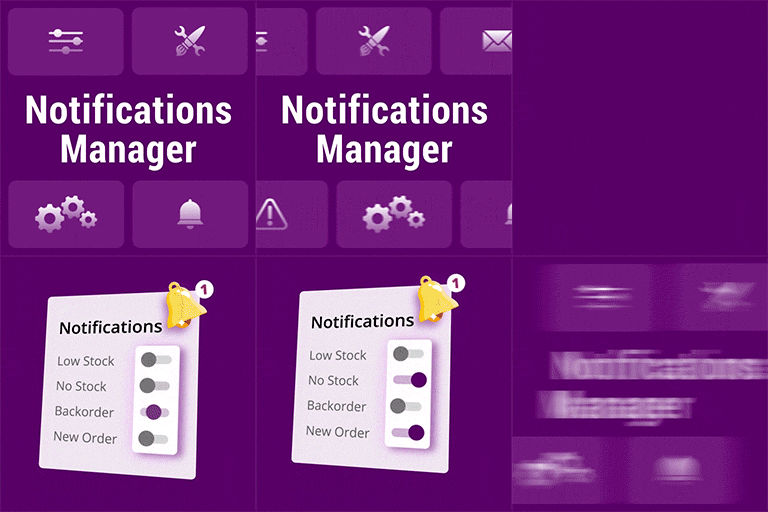
Disable Email Notifications for WooCommerce
Disable Email Notifications for WooCommerce — Choose which email notifications to disable on WooCommerce.

Disable Emails
Disable Emails — Disables WordPress email sending by replacing the standard `wp_mail()` function with a no-op implementation.

Disable Emails Per Product for WooCommerce
Disable Emails Per Product for WooCommerce — Disable transactional emails per product for WooCommerce stores.

Disable Embeds
Disable Embeds — Prevents other sites from embedding the WordPress site.

Disable Emojis (GDPR friendly)
Disable Emojis (GDPR friendly) — Disables WordPress emoji-related front-end and admin assets, including the emoji detection script and emoji styles.

Disable Everything
Disable Everything — Can disable anonymous REST API access.