
DIRECTORY DELLA COMPATIBILITÀ REEID
Esplora i prodotti WordPress e la loro REEID Translate compatibilità.
Naviga tra plugin, temi, builder ed ecosistemi di prodotti WordPress, con lo stato di compatibilità e i dettagli sull’integrazione per REEID Translate Pro.
Integrazioni verificate · Informazioni sulla compatibilità · Prodotti in attesa di verifica · Directory consultabile
COME FUNZIONA IL DIRECTORY
Informazioni sulla compatibilità, gestite da un’unica fonte.
Trova i prodotti pertinenti al tuo stack WordPress e verifica il loro stato attuale di compatibilità REEID.
- Cerca per nome del prodotto
- Naviga nello stato di compatibilità
- Apri le guide di integrazione disponibili
GUIDE DI COMPATIBILITÀ PUBBLICATE
Esplora l’ecosistema di WordPress con REEID Translate.
Cerca per nome del prodotto per visualizzare lo stato di compatibilità, la documentazione sull’integrazione disponibile e i flussi di lavoro multilingue supportati.

Remove layout destroying HTML-Tags
Remove layout destroying HTML-Tags — Provides a “Copy&Paste Cleaner” that cleans/normalizes HTML in the post/page editor after copy-and-paste to prevent copied formatting (e.g., problematic DIVs) from breaking site layout.

Remove Meta Generators
Remove Meta Generators — Removes all HTML meta generator tags from page source code

Remove noreferrer
Remove noreferrer — Automatically removes rel="noreferrer" from links on the site at render time.

Remove Page Title From Elementor Pages by Default
Remove Page Title From Elementor Pages by Default — Automatically removes page titles from all pages by default when using the Hello theme.

Remove Pages From Search
Remove Pages From Search — Excludes pages from default WordPress search results.

Remove Parent Category from Slug
Remove Parent Category from Slug — Removes parent category slugs from WordPress permalinks to display only the child category segment

Remove Product Content for WooCommerce
Remove Product Content for WooCommerce — Hide specific single product page elements such as product image (thumbnail), product title, price, rating, short description, and add to cart button.

Remove Profile Dropdown in Admin Bar
Remove Profile Dropdown in Admin Bar — Replaces the profile dropdown menu in the WordPress admin bar with a static Log Out link.

Remove Schema
Remove Schema — Removes all JSON-ld schema markup from the website

Remove Single Product Meta for WooCommerce
Remove Single Product Meta for WooCommerce — Controls the visibility of various elements on WooCommerce single product pages.

Remove Site Health From Dashboard
Remove Site Health From Dashboard — Removes the Site Health dashboard widget introduced in WordPress 5.4
Remove SKU From Single Product page
Remove SKU From Single Product page — Disables SKUs completely by using this plugin.

Remove SKUs Category Tags
Remove SKUs Category Tags — Removes product SKUs from WooCommerce product detail pages
Remove Social ID for WP
Remove Social ID for WP — Detects and removes fbclid, gclid, and msclkid query parameters from incoming URLs
Remove Special Characters From Permalinks
Remove Special Characters From Permalinks — Removes unsanitized special characters (e.g., ®, ©, UTF-8 symbols) from post permalinks during creation or update.

Remove Super Admin from User List Table
Remove Super Admin from User List Table — Removes super admin users from the user list table on child sites within a WordPress multisite network.
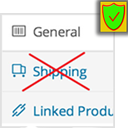
Remove tabs and fields from WooCommerce
Remove tabs and fields from WooCommerce — Removes specific tabs from WooCommerce product edit screens, including General, Inventory, Shipping, Linked Products, Attributes, Variations, and Advanced.

Remove Taxonomy Base Slug
Remove Taxonomy Base Slug — Removes a selected taxonomy base slug from taxonomy permalinks, turning URLs like `/taxonomy/term/` into `/term/`.

Remove Taxonomy Slug
Remove Taxonomy Slug — , removes taxonomy slugs from URLs to create cleaner, SEO-friendly permalinks
Remove Taxonomy URL
Remove Taxonomy URL — , strips base taxonomy slugs from term URLs to create clean permalinks

Remove Tools Menu
Remove Tools Menu — Removes the default WordPress Admin Tools menu item from the navigation structure upon activation.

Remove Uppercase Accents
Remove Uppercase Accents — Automatically removes accented characters from text content that is uppercased through CSS.

Remove Version Info
Remove Version Info — Removes the WordPress version number from HTML meta generator tags

Remove Website URL Field From Comment Form
Remove Website URL Field From Comment Form — Removes the website URL input field from the WordPress comment form