
DIRECTORY DELLA COMPATIBILITÀ REEID
Esplora i prodotti WordPress e la loro REEID Translate compatibilità.
Naviga tra plugin, temi, builder ed ecosistemi di prodotti WordPress, con lo stato di compatibilità e i dettagli sull’integrazione per REEID Translate Pro.
Integrazioni verificate · Informazioni sulla compatibilità · Prodotti in attesa di verifica · Directory consultabile
COME FUNZIONA IL DIRECTORY
Informazioni sulla compatibilità, gestite da un’unica fonte.
Trova i prodotti pertinenti al tuo stack WordPress e verifica il loro stato attuale di compatibilità REEID.
- Cerca per nome del prodotto
- Naviga nello stato di compatibilità
- Apri le guide di integrazione disponibili
GUIDE DI COMPATIBILITÀ PUBBLICATE
Esplora l’ecosistema di WordPress con REEID Translate.
Cerca per nome del prodotto per visualizzare lo stato di compatibilità, la documentazione sull’integrazione disponibile e i flussi di lavoro multilingue supportati.

Change Default Email Sender Name
Change Default Email Sender Name — Modifies the sender name for outgoing WordPress emails

Change Default Mail Sender Email and Name
Change Default Mail Sender Email and Name — Overrides the default WordPress 'From' name for all outgoing emails

Change Excerpt Length
Change Excerpt Length — Adds an Excerpt Length field to the WordPress Reading Settings section

Change From Address
Change From Address — Allows customization of the default sender name for all WordPress emails

Change Howdy
Change Howdy — Replaces the default 'Howdy' greeting in the WordPress admin bar with custom text via a settings screen.

Change Last Modified Date
Change Last Modified Date — Provides functionality to change or prevent updating the “last modified” date for individual posts when active.

Change Mail Sender
Change Mail Sender — Changes the default WordPress sender email address and sender name for outgoing emails.
Change Payment Description for WooCommerce
Change Payment Description for WooCommerce — Provides a GUI interface on the WooCommerce settings page to add text and run it on the site instead of using custom snippets in a theme’s functions.php file.

Change Price Title for WooCommerce
Change Price Title for WooCommerce — Rename, replace, or hide the WooCommerce price title (price label) globally or per product.
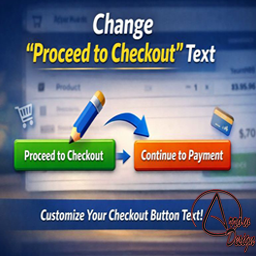
Change Proceed To Checkout Text
Change Proceed To Checkout Text — Provides a settings screen to change the WooCommerce “Proceed to Checkout” button text without code.

Change Product Author For WooCommerce
Change Product Author For WooCommerce — Adds support for the WooCommerce product post type field labeled 'author'.

Change Quantity on Checkout for WooCommerce
Change Quantity on Checkout for WooCommerce — Lets customers change item quantities during WooCommerce checkout.

Change Sender ID
Change Sender ID — Overrides the default WordPress sender name for outgoing emails

Change Storefront Footer Copyright Text
Change Storefront Footer Copyright Text — Edits the footer credit/copyright text for the WooCommerce Storefront theme via the WordPress admin panel.

Change SVG Colors
Change SVG Colors — Selects existing SVG files from the WordPress media library

Change Table Prefix
Change Table Prefix — Modifies the WordPress database table prefix defined in wp-config.php

Change Text Case
Change Text Case — Adds buttons to the WordPress TinyMCE Visual Editor for changing text case.

Change Texts for WooCommerce
Change Texts for WooCommerce — Customize WooCommerce button and label texts from the admin panel.

Change title
Change title — Dynamically modifies the browser tab title when the user switches away from the active page

Change Username
Change Username — Adds username editing directly on the existing WordPress user edit screen.

Change WooCommerce Product Author – Transfer Ownership of WooCommerce Products
Change WooCommerce Product Author – Transfer Ownership of WooCommerce Products — Reassign WooCommerce product author ownership for single products (Quick Edit, Edit Product, or Bulk Transfer).

Change WordPress Admin Logo
Change WordPress Admin Logo — Replaces the default WordPress login page logo with a custom image selected from the media library.

Change WordPress Login Logo
Change WordPress Login Logo — Replaces the default WordPress login-page logo with a custom uploaded logo.

Changelog as a Service – Publish, Display, and Communicate Beautiful Changelogs
Changelog as a Service – Publish, Display, and Communicate Beautiful Changelogs — Dedicated changelog post type with automatic color-coded badge detection for standard update types (Added, Fixed, Improved, Security) and support for unlimited custom badge definitions.