
DIRECTORY DELLA COMPATIBILITÀ REEID
Esplora i prodotti WordPress e la loro REEID Translate compatibilità.
Naviga tra plugin, temi, builder ed ecosistemi di prodotti WordPress, con lo stato di compatibilità e i dettagli sull’integrazione per REEID Translate Pro.
Integrazioni verificate · Informazioni sulla compatibilità · Prodotti in attesa di verifica · Directory consultabile
COME FUNZIONA IL DIRECTORY
Informazioni sulla compatibilità, gestite da un’unica fonte.
Trova i prodotti pertinenti al tuo stack WordPress e verifica il loro stato attuale di compatibilità REEID.
- Cerca per nome del prodotto
- Naviga nello stato di compatibilità
- Apri le guide di integrazione disponibili
GUIDE DI COMPATIBILITÀ PUBBLICATE
Esplora l’ecosistema di WordPress con REEID Translate.
Cerca per nome del prodotto per visualizzare lo stato di compatibilità, la documentazione sull’integrazione disponibile e i flussi di lavoro multilingue supportati.

Show Current Template
WordPress plugin that displays the current template file name, current theme name, and included template files in the admin toolbar, with a documented block-theme limitation.

Show Current Width
Show Current Width — Displays the current browser or device screen width in the WordPress admin bar.

Show Eventbrite Events – Event Feed for Eventbrite
Show Eventbrite Events – Event Feed for Eventbrite — Synchronizes event data directly from Eventbrite organizations using API keys.

Show Featured Thumbnails
Show Featured Thumbnails — {"text": "Adds a thumbnail column for featured images to the WordPress admin Posts and Pages list screens.", "evidence": "Add a thumbnail column of featured images to the Posts and Pages list screens.", "source_url": "https://wordpress.org/plugins/show-featured-thumbnails/"}

Show Fit File
Show Fit File — , displays interactive maps and exercise data summaries from .fit, .gpx, and .tcx files using LeafletJS and OpenStreetMap tiles.

Show Hide Accordion by MediaArt
Show Hide Accordion by MediaArt — Provides shortcodes for creating collapsible and expandable content sections.

Show IDs by Echo
Show IDs by Echo — Admin-screen ID reveal for multiple content types: posts, pages, categories, tags, comments, custom post types, custom taxonomies, users, and media.

Show IP address
Show IP address — Determines and displays the current visitor's IP address via shortcode

Show Language Counts for Polylang
Show Language Counts for Polylang — Displays per-language post and product counts in an admin info box above list tables.
Show Me The Cookies
Show Me The Cookies — Displays a comprehensive list of all current cookies used by the WordPress site.

Show modified Date in admin lists
Show modified Date in admin lists — Adds a modified-date column to WordPress admin lists for posts and pages.

Show More for Elementor – SEO Friendly
Show More for Elementor – SEO Friendly — Provides an Elementor widget that hides part of text and reveals it via a click action (Show More / Read More behavior).
Show only lowest prices in variable products for WooCommerce
Show only lowest prices in variable products for WooCommerce — Shows only the lowest available price for WooCommerce variable products.

Show Orders Shortcode for WooCommerce
Show Orders Shortcode for WooCommerce — Provides a single shortcode to display the logged-in customer’s WooCommerce orders on pages/posts/widget areas.

Show Page URL
Show Page URL — Adds a URL column to the WordPress Dashboard 'All Pages' list view.

Show Pages URL List
Show Pages URL List — Displays organized URL lists for pages, posts, categories, and tags in a single admin view
Show Post ID with Sorting
Show Post ID with Sorting — Adds a sortable Post ID column to the WordPress admin dashboard for posts, pages, and custom post types

Show Post Shortcode
Show Post Shortcode — Displays a bulleted list of posts using the [showposts] shortcode.

Show Product Sales Count for WooCommerce
Show Product Sales Count for WooCommerce — Displays how many times each product has been sold on a WooCommerce store.

Show Shipping Class in Product Page for WooCommerce
Show Shipping Class in Product Page for WooCommerce — Displays WooCommerce shipping classes on product and shop pages automatically without configuration.
Show State Field for WooCommerce
Show State Field for WooCommerce — Adds a Billing/Shipping state field to the WooCommerce checkout for selected countries.
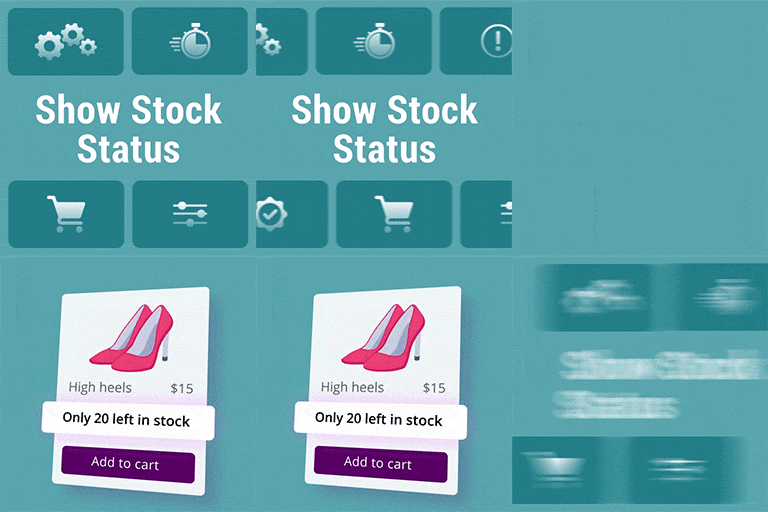
Show Stock Status for WooCommerce
Show Stock Status for WooCommerce — Displays “stock quantity” under each product on shop, category, and archive pages

Show Support Ribbon
Show Support Ribbon — Displays customizable support ribbons, banners, or badges with four built-in styles (Badge, Banner, Ribbon, Link) and a Custom HTML/CSS option.

Show template by shortcode for Elementor
Show template by shortcode for Elementor — Displays Elementor sections, canvas templates, and saved templates anywhere on a WordPress site.