
MEDIA DI WORDPRESS
Integrazioni multimediali di WordPress per REEID Translate
Esplora la compatibilità documentata con i plugin multimediali di WordPress per titoli, didascalie, testi alternativi e descrizioni multilingue, preservando gli asset multimediali.
COMPATIBILITÀ MULTIMEDIALE
Sfoglia le integrazioni multimediali di WordPress.
Trova le guide alla compatibilità pubblicate per i plugin multimediali e i metadati testuali supportati utilizzati nei flussi di lavoro multilingue di WordPress.

Image Attributes Manager
Image Attributes Manager — Automatically generates ALT attributes for images in bulk or individually.

Image Background Remover
Image Background Remover — AI-powered background removal from WordPress media library images via external API

Image Block for Pollinations.ai
Image Block for Pollinations.ai — Gutenberg block integration for generating images via text prompts

Image Carousel
Image Carousel — Creates responsive image carousels/sliders for use on WordPress posts/pages (including “horizontal carousel image sliders” and “tiny carousel sliders”).

Image Carousel For Divi
Image Carousel For Divi — Provides a Divi module for creating an image slideshow/carousel (cycling through images).
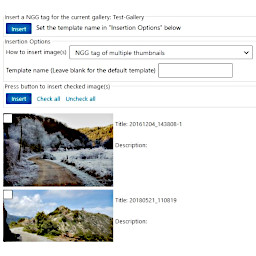
Image Chooser Block for NextGEN Gallery
Image Chooser Block for NextGEN Gallery — Browses hierarchical NextGEN Gallery albums and galleries via a tree view interface

Image Comparison
Image Comparison — Gutenberg block for interactive before/after image comparison

Image Compressor WebP by htmlrunner
Image Compressor WebP by htmlrunner — Converts media library images to WebP, JPG, or PNG using server-side PHP GD or Imagick engines.
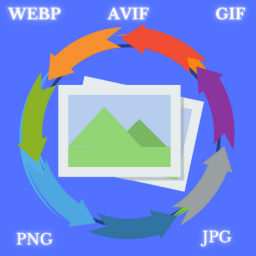
Image Converter & Optimizer
Image Converter & Optimizer — Converts image types between png, jpg, gif, webp, and avif formats

Image Copyright Manager
Image Copyright Manager — A custom copyright information field is added to the WordPress media attachment edit screen and modal.

Image Credit Companion
Image Credit Companion — Automatically detects and tracks images within Gutenberg blocks (Image, Gallery, Cover, Media & Text) and Classic Editor HTML content.

Image Credits nofollow
Image Credits nofollow — Adds custom media metadata fields for Source Name and Source URL to WordPress attachments.

Image Dimensions Display
Image Dimensions Display — Adds a custom column to the WordPress Media Library admin interface

Image Download Button
Image Download Button — , automatically inserts a customizable download button below images on posts and pages

Image Editor by Pixo
Image Editor by Pixo — It replaces the default WordPress image editor with an external cross-platform service (Pixo) for both wp-admin and front-end use.

Image Effects
Image Effects — Gutenberg block implementation for inserting images into posts and pages

Image Format Converter
Image Format Converter — Converts Media Library images between JPG, PNG, WebP, and AVIF formats using server-side GD or Imagick libraries.

Image Gallery
Image Gallery — Creates responsive photo/image galleries with grid and masonry layout options.

Image Gallery Block
Image Gallery Block — Provides a Gutenberg/Block Editor “Image Gallery” block for showcasing images in a gallery layout.

Image Gallery Block – Showcase Photos in Stunning Responsive Grids
Image Gallery Block – Showcase Photos in Stunning Responsive Grids — Gutenberg block integration for creating responsive image galleries with grid and Polaroid layouts

Image Gallery Custom Post Type
Image Gallery Custom Post Type — Galleries are implemented as a custom post type, storing image order and design settings within the post data.

Image Generator – AI Featured Image, Thumbnail and Automatic Image Creator for WordPress
Image Generator – AI Featured Image, Thumbnail and Automatic Image Creator for WordPress — On-demand image generation inside the Gutenberg block editor for Image and Media & Text blocks, including inserting the generated image into the block or assigning it as the post’s Featured Image.

Image Hotspot – Map Image Annotation
Image Hotspot – Map Image Annotation — Adds interactive hotspot annotations over images, showing content via mouseover and/or click (e.g., tooltips/popovers).

Image Hotspots by Pleaseup – Interactive Image Map & Tooltips
Image Hotspots by Pleaseup – Interactive Image Map & Tooltips — Interactive image hotspots stored against WordPress attachment IDs, enabling hotspot rendering when the attachment is output via the plugin’s shortcodes (e.g., `[wphs_image id="ATTACHMENT_ID"]`).