
MEDIA DI WORDPRESS
Integrazioni multimediali di WordPress per REEID Translate
Esplora la compatibilità documentata con i plugin multimediali di WordPress per titoli, didascalie, testi alternativi e descrizioni multilingue, preservando gli asset multimediali.
COMPATIBILITÀ MULTIMEDIALE
Sfoglia le integrazioni multimediali di WordPress.
Trova le guide alla compatibilità pubblicate per i plugin multimediali e i metadati testuali supportati utilizzati nei flussi di lavoro multilingue di WordPress.
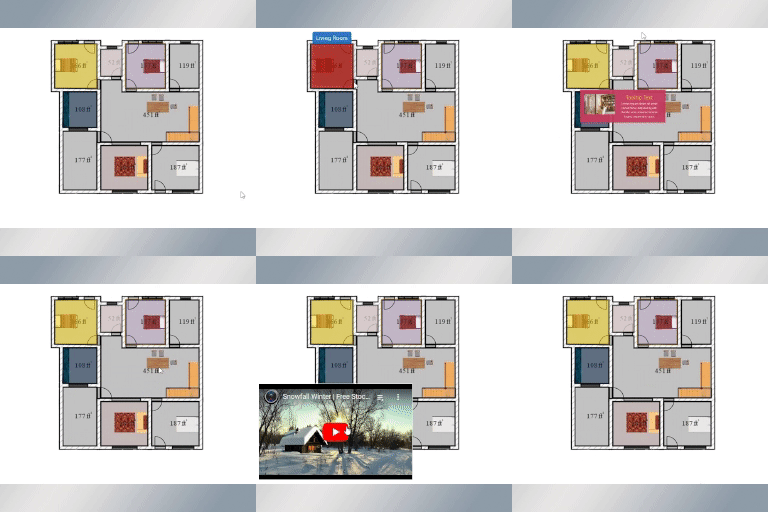
Interactive Image Map Builder
Interactive Image Map Builder — Allows users to create interactive image maps by adding clickable hotspots, annotations, and selected regions to images such as products, maps, or floor plans.

Intigra Disclosio – AI Image and Video Labels for the EU AI Act
Intigra Disclosio – AI Image and Video Labels for the EU AI Act — Per-image classification of AI generated or AI modified media stored as post meta in the WordPress database.

Inventkid Media Cleanup Manager
Inventkid Media Cleanup Manager — Identifies duplicate images using GD-powered visual hashing (dHash) to detect structural matches despite compression or resizing.

iOS images fixer
iOS images fixer — Automatically corrects orientation of images taken on iOS devices during upload.

iPages – FlipBook Image & PDF Viewer
iPages – FlipBook Image & PDF Viewer — Converts PDF documents and image sets into interactive HTML5 flipbooks

iRadeo Audio Player
iRadeo Audio Player — Embeds a hosted audio player via iframe, keeping listeners on the WordPress site while offloading audio hosting and bandwidth to iRadeo.

iReplay TV Channel and Radio Station
iReplay TV Channel and Radio Station — Creates live, linear TV and radio channels from uploaded video and audio content

Iterapic
Iterapic — Integrates AI-powered image editing, upscaling, and video generation into the WooCommerce product workflow

Izubizu Slider
Izubizu Slider — Provides a media slider experience with 19 media transition types and 16 text transition types for animated captions/titles.

jAlbum Bridge
jAlbum Bridge — Bridges jAlbum desktop application albums to WordPress via a dedicated block editor component.

jAlbum Gallery Block
jAlbum Gallery Block — Embeds jAlbum galleries created with the Embed skin into WordPress posts and pages via a dedicated Block Editor block.

Janitorix Media Audit
Janitorix Media Audit — Scans diverse reference sources including post content, Gutenberg blocks, full-site-editing templates, Customizer settings, widgets, menus, Elementor, ACF, WooCommerce, and theme files.

Jassn Video Posts Feed Block
Jassn Video Posts Feed Block — Gutenberg block implementation for displaying local video posts in a responsive grid feed

JennyStudio Identicons
JennyStudio Identicons — Generates Material Design-style vector avatars based on user names to replace default mystery man and Gravatar images.

Jetpack VideoPress
Jetpack VideoPress — Provides a WordPress-integrated video library for uploading and managing videos from the media library and editor.

jharm AI Featured Image
jharm AI Featured Image — One-click AI featured image generation directly from the WordPress Block Editor sidebar

Jhon990 Download Cards & Comic Reader
Jhon990 Download Cards & Comic Reader — Provides a shortcode-based comic reader that displays user-supplied image URLs in a page-by-page format.

JL Image Attributes
JL Image Attributes — {"task": "Research factual plugin behavior for compatibility context only. Do not extract translation-surface observations.", "plugin_identity": {"name": "JL Image Attributes", "slug": "jl-image-attributes", "homepage_url": "", "plugin_url": ""}, "official_search_domains": ["wordpress.org"], "rules": ["Return one JSON object only.", "Use only facts supported by supplied plugin evidence or web research from the allowed official domains.", "Use web search only when supplied evidence is insufficient.", "For web research, use only first-party vendor/product documentation and WordPress.org sources within official_search_domains.", "Do not use reviews, blogs, forums, aggregators, search snippets, or third-party documentation as evidence.", "Do not invent plugin behavior, capabilities, settings, or integrations.", "Do not decide REEID compatibility, translation support, approval, or eligibility.", "Follow category_research.rules for what to investigate in this Integration Category.", "Return observations as an empty list.", "Return 4 to 8 concise high-value factual capabilities in features.", "Group related implementation details into broader capability statements.", "Prefer stable product capabilities over minor settings or repeated variations.", "Do not include ratings, installation counts, version requirements, or promotional claims.", "Use unknowns only for materially relevant facts that official evidence does not establish.", "seo_display_name must be the shortest distinctive search-facing product or brand identity that can be copied exactly as one contiguous phrase from plugin_identity.name. Preserve the exact capitalization, spelling, and punctuation used in plugin_identity.name. Never invent, rename, expand, normalize, lowercase, or substitute the plugin brand. Remove generic leading or trailing descriptors when a shorter distinctive product or brand phrase is present, including terms such as Plugin, WordPress Plugin, Page Builder, Website Builder, WooCommerce, Forms, SEO, Addons, Widgets, Templates, Booking, Membership, or similar category/marketing wording. The distinctive brand may appear at the beginning, middle, or end of plugin_identity.name; for example, a title shaped like generic description – Brand should return Brand when Brand is clearly the product identity. When a short distinctive acronym, product token, or branded abbreviation appears after a separator and clearly identifies the plugin, prefer that exact token over the preceding generic description; for example Database Addon for Contact Form 7 – CFDB7 should return CFDB7. Use plugin_identity.slug only as an identity clue, not as output text unless that exact casing and phrase also appears in plugin_identity.name. If no shorter distinctive product or brand phrase can be selected safely, return the full plugin_identity.name.", "seo_keyword_candidates must contain 2 to 4 concise plugin-specific identity phrases based on seo_display_name, plugin_identity.name, and plugin_identity.slug. When the slug corresponds to a brand or product phrase present in the official name, include that phrase as a candidate. Do not return generic category-only phrases and do not assert REEID compatibility, verification, translation support, or other unsupported state claims."], "category_research": {"integration_category": "Media", "mode": "compatibility_only", "rules": ["Research factual media-plugin behavior relevant to compatibility, including media metadata, galleries, captions, attachment handling, and rendering.", "This Integration Category is compatibility-only.", "Do not research, infer, or emit translation-surface observations.", "Return observations as an empty list.", "Use features and unknowns only for factual compatibility context."], "evidence_focus": {"integration_category": "Media", "look_for_literal_terms": []}, "output_schema": {"observations": [{"text": "", "evidence": "", "source_url": ""}], "features": [], "unknowns": [], "seo_display_name": "", "seo_keyword_candidates": []}, "evidence": {"description": "Automatically fills in the title, alt and description attributes of images when uploading.", "sections": {"installation": "Upload jl-image-attributes folder to the /wp-content/plugins/ directory\n Activate the JL Image Attributes plugin through the ‘Plugins’ menu in WordPress"}}}

Johneid Image Slider and Logo Carousel
Johneid Image Slider and Logo Carousel — Supports Hero Style Single Image Sliders and Multi-Logo Responsive Thumbnail Rows

Jorgemon Gallery Layout
Jorgemon Gallery Layout — Official plugin information documents its primary functionality.

Jotform – Widgets for Google Reviews
Jotform – Widgets for Google Reviews — Displays live Google Business profile reviews in customizable, responsive widgets (auto-updating/syncing with new ratings/comments).

JPrompt Description Editor with TinyMCE for NextGEN Gallery
JPrompt Description Editor with TinyMCE for NextGEN Gallery — Integrates WordPress native WYSIWYG editor into NextGEN Gallery description fields

JPrompt's Pixengine – Image Converter & Optimizer
JPrompt's Pixengine – Image Converter & Optimizer — Automatic conversion of uploaded JPG and PNG images to WebP or AVIF formats with configurable quality settings.

jQuery Lightbox For Native Galleries
jQuery Lightbox For Native Galleries — Makes native WordPress galleries open full-size images in a ColorBox lightbox overlay.