
MEDIA DI WORDPRESS
Integrazioni multimediali di WordPress per REEID Translate
Esplora la compatibilità documentata con i plugin multimediali di WordPress per titoli, didascalie, testi alternativi e descrizioni multilingue, preservando gli asset multimediali.
COMPATIBILITÀ MULTIMEDIALE
Sfoglia le integrazioni multimediali di WordPress.
Trova le guide alla compatibilità pubblicate per i plugin multimediali e i metadati testuali supportati utilizzati nei flussi di lavoro multilingue di WordPress.

MangaVisor – Simple Comic Reader
MangaVisor – Simple Comic Reader — Official plugin information documents its primary functionality.

Manly WebP Converter
Manly WebP Converter — Converts JPEG, PNG, and GIF attachments to WebP format using PHP GD extension
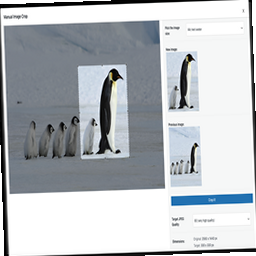
Manual Image Crop
Manual Image Crop — Allows manual cropping of registered WordPress image sizes, including featured images.

Map Block for Yandex
Map Block for Yandex — Renders Yandex Maps as a native WordPress block (Gutenberg) powered by Yandex Maps JavaScript API v3, with live inspector-driven updates in the editor preview.

Mapping of image posts
Mapping of image posts — Generates a mapping between image attachments and their corresponding posts by scanning all attachments

Mapster WP Maps
Mapster WP Maps — Provides map embedding via WordPress shortcodes and Block integrations to place maps in posts/widgets.

Marbak Multi Image Field for ACF
Marbak Multi Image Field for ACF — Adds a multi-image field type to Advanced Custom Fields (ACF) that uses the native WordPress media library for selecting multiple images.

MarcTV 3D Model Embed Block
MarcTV 3D Model Embed Block — Gutenberg block for embedding interactive 3D models

MarqueeFlow
MarqueeFlow — Gutenberg block-based marquee slider for continuous image scrolling

MAS Videos
MAS Videos — Creates custom post types for Movies, TV Shows, and Videos managed similarly to standard posts.

Masino1967 Image Filters Collection
Masino1967 Image Filters Collection — Provides preset image filter effects for the WordPress Image block and Featured Image block within the Full Site Editing (FSE) editor.

Masonry Image Gallery Block
Masonry Image Gallery Block — Provides a custom Gutenberg Block (“Masonry Image Gallery”) to display an image gallery in masonry style within the Gutenberg editor.

Mass Resizer
Mass Resizer — Bulk image resizing to specified maximum dimensions while maintaining aspect ratio

Master PDF Viewer
Master PDF Viewer — Embeds PDF files directly into posts and pages as Gutenberg blocks via drag-and-drop or upload.

Matterport Shortcode
Matterport Shortcode — Shortcode-driven Matterport gallery rendering: supports a single tour or multiple tours via the required `src` parameter (tour IDs separated by commas, or full Matterport/MPEmbed URLs).

Mave Video
Mave Video — Gutenberg block integration for embedding privacy-friendly video players

mb.miniAudioPlayer – an HTML5 audio player for your mp3 files
mb.miniAudioPlayer – an HTML5 audio player for your mp3 files — Converts uploaded MP3 attachments inserted into a post/page into an embedded HTML5 audio player rendered in place of the original link.

MBT Testimonial
MBT Testimonial — Provides testimonial content with two front-end layout modes: a slider (using Owl Carousel) and a grid layout.

MCOD Delete Media by Content
MCOD Delete Media by Content — Bulk deletes media files and associated thumbnails from the database and filesystem based on post type association.

Media Alt Text Manager
Media Alt Text Manager — Adds a sortable 'Alt Text' column to the WordPress media library list view.

Media API for WooCommerce
Media API for WooCommerce — Adds a WooCommerce REST API media endpoint at /wp-json/wc/v2/media for uploading and listing media files.

Media Attached Filter
Media Attached Filter — Filters the WordPress media library to display only files attached to posts or pages.

Media Attachment Bulk Move
Media Attachment Bulk Move — Displays attached media files in a grid layout within the post editor meta box

Media Background Remover
Media Background Remover — Removes image backgrounds directly from the WordPress Media Library using the remove.bg API