
REEID 호환성 디렉터리
WordPress 제품과 그들의 REEID Translate 호환성을 탐색해 보세요.
WordPress 플러그인, 테마, 빌더 및 제품 생태계를 살펴보세요. REEID Translate Pro와의 호환 상태와 통합 세부 정보를 확인할 수 있습니다.
검증된 통합 · 호환성 정보 · 검증 대기 중인 제품 · 검색 가능한 디렉터리
디렉터리 작동 방식
호환성 정보는 한 곳에서 관리됩니다.
귀하의 WordPress 스택에 맞는 제품을 찾아 현재 REEID 호환 상태를 확인하세요.
- 제품 이름으로 검색
- 호환 상태 둘러보기
- 사용 가능한 통합 가이드 열기
게시된 호환성 가이드
REEID Translate와 함께 워드프레스 생태계를 탐험해 보세요.
제품 이름으로 검색하여 호환성 상태, 이용 가능한 통합 문서, 지원되는 다국어 워크플로우를 확인하세요.

Footer Contacts D
Footer Contacts D — Displays a fixed, customizable call-to-action button bar at the bottom of the screen.

Footer Copyright
Footer Copyright — Automatically updates copyright year and supports dynamic company name insertion via shortcodes.
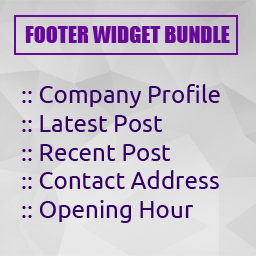
Footer Widget Bundle
Footer Widget Bundle — , "Provides a collection of custom widgets designed for footer and sidebar areas.", "Includes a Company Profile widget that displays company title, logo, description, and social media links.", "Offers Latest Post and Recent Post widgets to display post titles, dates, thumbnails, and view counts.", "Features a Contact Address widget for displaying email, phone, fax, and physical location details.", "Includes an Opening Hour widget to show business operating hours.", "Integrates with the standard WordPress Appearance > Widgets management interface." ],

Footnote Analytics
Footnote Analytics — Records anonymous footnote click and open events within WordPress, storing data such as footnote key, title, post information, URL, referrer, device type, user agent, and clicked time.

Footnotes & Content
Footnotes & Content — Gutenberg block editor support with toolbar integration for footnote insertion

Footnotes Made Easy
Footnotes Made Easy — Adds footnotes to posts and pages using double parentheses syntax

Footprint – Find what slows your site
Footprint – Find what slows your site — Official plugin information documents its primary functionality.

For Users Only
For Users Only — Restricts frontend site access to logged-in users only

For Your Eyes Only
For Your Eyes Only — Gutenberg block-based content restriction that toggles visibility based on user capabilities

Force Authentification Before Checkout for WooCommerce
Force Authentification Before Checkout for WooCommerce — Forces customers to log in or register before checkout.

Force Coupon for WooCommerce
Force Coupon for WooCommerce — Forces customers to enter a coupon code during the WooCommerce checkout process.

Force Default Variant for WooCommerce
Force Default Variant for WooCommerce — Removes the standard WooCommerce variable product variant default of 'Choose an Option' and replaces it with a variant.

Force Delete Posts
Force Delete Posts — Adds a Force Delete button to the post list for Pages, Posts, and Custom Post Types

Force First and Last Name as Display Name
Force First and Last Name as Display Name — Hides the 'Display Name' field on the WordPress user profile screen for all users.

Force jQuery in Head
Force jQuery in Head — Automatically relocates jQuery script loading to the top of the HTML head section upon activation.

Force Login
Force Login — Requires visitors to log in before accessing the site.

Force login to make the site private – Gozer
Force login to make the site private – Gozer — Enforces site-wide login requirement to restrict public access, with granular exception controls for specific paths and user agents.

Force Refresh
Force Refresh — Client-side browser refresh requests via an admin UI action (“Refresh Site”)

Force Regenerate Thumbnails
Force Regenerate Thumbnails — Deletes existing image sizes before regenerating thumbnails for uploads.

Force Reinstall
Force Reinstall — Forces WordPress to reinstall plugins or themes by marking them as needing an update.

Force Sell for WooCommerce
Force Sell for WooCommerce — Links products to another product so they are added to the cart together.

Force Sells and Smart Bundles for WooCommerce
Force Sells and Smart Bundles for WooCommerce — Adds optional or mandatory add-on products to the cart when a main item is added.

Force Update Translations
Force Update Translations — Downloads translation files for themes and plugins directly from WordPress.org repositories

Force use of ImageMagick image library
Force use of ImageMagick image library — Forces WordPress to use the ImageMagick image library for image processing