
REEID 호환성 디렉터리
WordPress 제품과 그들의 REEID Translate 호환성을 탐색해 보세요.
WordPress 플러그인, 테마, 빌더 및 제품 생태계를 살펴보세요. REEID Translate Pro와의 호환 상태와 통합 세부 정보를 확인할 수 있습니다.
검증된 통합 · 호환성 정보 · 검증 대기 중인 제품 · 검색 가능한 디렉터리
디렉터리 작동 방식
호환성 정보는 한 곳에서 관리됩니다.
귀하의 WordPress 스택에 맞는 제품을 찾아 현재 REEID 호환 상태를 확인하세요.
- 제품 이름으로 검색
- 호환 상태 둘러보기
- 사용 가능한 통합 가이드 열기
게시된 호환성 가이드
REEID Translate와 함께 워드프레스 생태계를 탐험해 보세요.
제품 이름으로 검색하여 호환성 상태, 이용 가능한 통합 문서, 지원되는 다국어 워크플로우를 확인하세요.
Hide Edit With Elementor
Hide Edit With Elementor — Hides the 'Edit With Elementor' button and links on specific pages or posts.

Hide Editor For Page Templates
Hide Editor For Page Templates — Hides the classic editor or Gutenberg block editor for selected page templates
Hide Featured Image
Hide Featured Image controls featured-image visibility on single posts and pages, with support for custom post types and per-item or global hiding options.

Hide featured image on all single page/post
Hide featured image on all single page/post — Hides featured images on single posts and pages when those items are viewed individually.

Hide from Search
Hide from Search — Provides a per-post/page checkbox (“Hide from search”) in the post editor to mark individual content items as hidden from search engines and/or WordPress search results.
Hide Front End WP Admin Bar
Hide Front End WP Admin Bar — Hides the WordPress admin bar specifically on the front-end of the website.

Hide Generator Version
Hide Generator Version — Removes the WordPress generator meta-tag from site headers
Hide GTM code
Hide GTM code — Injects Google Tag Manager (GTM) code into WordPress themes without requiring manual theme customization.

Hide Header on Posts for Landing Pages
Hide Header on Posts for Landing Pages — Automatically detects and hides page headers, logos, and menus on single post pages using a theme-agnostic algorithm.

Hide Link | Really hide links to robots
Hide Link | Really hide links to robots — Replaces anchor tags with clickable span elements using JavaScript to prevent robots from detecting links
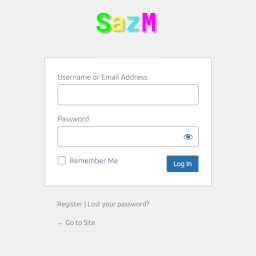
Hide Login Language Selector
Hide Login Language Selector — Hides the language selection dropdown on the WordPress login screen

Hide Menu Items by Role
Hide Menu Items by Role — Controls menu item visibility based on specific user roles

Hide My Dates
Hide My Dates — Hides post and comment publishing dates from Google search snippets
Hide or Show Out-of-Stock Products for WooCommerce
Hide or Show Out-of-Stock Products for WooCommerce — Provides bulk visibility controls for out-of-stock WooCommerce products

Hide Page And Post Title
Hide Page And Post Title — Can hide the title for an individual page.

Hide Plugins Update Message
Hide Plugins Update Message — Hides plugin update notifications from the WordPress dashboard.

Hide Posts
Hide Posts — Can hide selected content from common front-end listings such as the homepage, blog page, category/tag/author/date archives, search results, and post navigation.

Hide Price and Add to Cart for WooCommerce
Hide Price and Add to Cart for WooCommerce — Hide product prices using rule-based control

Hide Price Button Lite for WooCommerce
Hide Price Button Lite for WooCommerce — Requires login to view WooCommerce prices for guests (and optionally for one chosen user role).

Hide Price For WooCommerce
Hide Price For WooCommerce — Hides product prices on WooCommerce stores until a user logs in

Hide Price Until Login for WooCommerce
Hide Price Until Login for WooCommerce — Adds a WooCommerce menu entry labeled "Hide Price Until Login" for configuration

Hide Price Until User Login For Woocommerce
Hide Price Until User Login For Woocommerce — Hides WooCommerce product prices for non-logged-in users

Hide Pro Widgets for Elementor
Hide Pro Widgets for Elementor — Hides locked “Pro” promotional widgets and advertising components from the Elementor editor panel

Hide Product Categories & Products for WooCommerce
Hide Product Categories & Products for WooCommerce — Hides entire product categories or individual products from the storefront without deleting data