
สารบัญความเข้ากันได้ของ REEID
สำรวจผลิตภัณฑ์ WordPress และความเข้ากันได้ของพวกเขา REEID Translate
เรียกดูปลั๊กอิน ธีม ตัวสร้างเว็บไซต์ และระบบนิเวศของผลิตภัณฑ์ WordPress พร้อมสถานะความเข้ากันได้และรายละเอียดการผสานรวมสำหรับ REEID Translate Pro
การผสานรวมที่ผ่านการตรวจสอบ · ข้อมูลความเข้ากันได้ · ผลิตภัณฑ์ที่รอการตรวจสอบ · สารบัญค้นหาได้
วิธีการทำงานของสารบัญ
ข้อมูลความเข้ากันได้ จัดการจากแหล่งเดียว
ค้นหาผลิตภัณฑ์ที่เกี่ยวข้องกับสแต็ก WordPress ของคุณ และตรวจสอบสถานะความเข้ากันได้ของ REEID ปัจจุบัน
- ค้นหาตามชื่อผลิตภัณฑ์
- เรียกดูสถานะความเข้ากันได้
- เปิดคู่มือการผสานรวมที่มีให้
คู่มือความเข้ากันได้ที่เผยแพร่แล้ว
สำรวจระบบนิเวศของ WordPress ด้วย REEID Translate.
ค้นหาตามชื่อผลิตภัณฑ์เพื่อดูสถานะความเข้ากันได้ เอกสารประกอบการผสานรวมที่มีให้ และเวิร์กโฟลว์หลายภาษาที่รองรับ

Blocksolid Gateway
Blocksolid Gateway — Gates access to posts, pages, and categories using a 'Members Only' flag

Blocksolid Gather
Blocksolid Gather — Displays related posts, pages, or custom post types in a slideshow or grid layout

Blocksolid Snippets
Blocksolid Snippets — Manages reusable “snippets” of content via a dedicated custom post type.

BlockStrap Page Builder – Bootstrap Blocks
BlockStrap Page Builder – Bootstrap Blocks — Provides a selection of Bootstrap blocks to craft a whole site, including a header, footer, and even menus.

blockstylist eSIM Catalog
blockstylist eSIM Catalog — Provides an admin dashboard for managing eSIM plan details including destination, price, and data information.

Blocksy Companion
Blocksy Companion — Official companion plugin for the Blocksy WordPress theme.

BlockTuner
BlockTuner — Tunes design controls for any WordPress block via sidebar form fields
BlockUX Workflow – Upgrade the WordPress Block Editor
BlockUX Workflow – Upgrade the WordPress Block Editor — Adds editor-side UX improvements to the native WordPress block editor, including cleaner block highlights for structure readability.
BlockWheels
BlockWheels — Provides a collection of over 25 custom Gutenberg blocks for WordPress

Blockwist Toolkit
Blockwist Toolkit — Extends native WordPress core blocks with lightweight editor and frontend enhancements.

Blockwright Blocks
Blockwright Blocks — A visual color designer generates accessible light and dark schemes from a brand color.

Blockwright Workbench
Blockwright Workbench — Bulk resets Site Editor database overrides for templates, template parts, and global styles to restore file-based theme definitions.
BlockX
BlockX — BlockX is described as a plugin that helps create custom Gutenberg blocks using PHP.

BlockXpert
BlockXpert — A comprehensive suite of 8 production-ready Gutenberg blocks for WordPress.
Blocs Developer
Blocs Developer — Expands the WordPress JSON API to facilitate integration with the Blocs desktop application.

Blog AI summarize
Blog AI summarize — Adds a customizable block to single posts for AI-powered article summarization

Blog Automator
Blog Automator — AI-powered blog post generation using OpenAI API

Blog Content Automation – AI SEO autopilot for your blog
Blog Content Automation – AI SEO autopilot for your blog — Connects a WordPress site to Trafficontent via a “Connect Trafficontent” flow from the plugin’s Welcome screen, after which the user is redirected to the Trafficontent dashboard.

Blog Cutter Smart Security Management
Blog Cutter Smart Security Management — Local-only security operation with no third-party threat feeds or remote script dependencies

Blog Designer
Blog Designer — Creates and displays blog layouts via the shortcode [wp_blog_designer].

Blog Designer Pack
Blog Designer Pack is a WordPress plugin for creating blog and news layouts. It provides shortcode-based display options for posts, including multiple listing styles and ticker layouts.
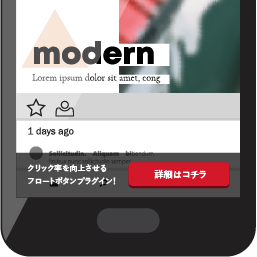
Blog Floating Button
WordPress plugin for customizable floating buttons with desktop/mobile design settings, display targeting, click tracking, and per-button destination links.

Blog Image Sitemap
Blog Image Sitemap — Generates sitemaps specifically for blog images.

Blog Importer for HubSpot
Blog Importer for HubSpot — Connects to HubSpot via the HubSpot CMS API (api.hubapi.com) using a user-provided HubSpot Private App Access Token for authentication.