REEID EDITORIAL
WordPress plugin compatibility in a multilingual site: what actually needs testing?
Multilingual plugin compatibility is not one test. A plugin can be perfectly stable in one language and still fail when translated content, language-specific URLs, dynamic output, or frontend state enter the picture. The practical way to test is to separate visitor-facing surfaces from configuration-only behavior, then verify how the plugin behaves across blocks, forms, WooCommerce flows, metadata, and any output that changes by language.
Key takeaway
Test multilingual compatibility by tracing where a plugin stores data, how it renders output, and whether language changes affect routing, relationships, and frontend state. The goal is not just translation correctness, but preserving behavior when content, URLs, and dynamic data are language-aware.
Start by separating what users see from what admins configure
The first compatibility decision is whether a plugin feature is part of the translated experience or part of the site’s internal configuration. Visitor-facing surfaces include blocks, templates, shortcodes, forms, product pages, archive output, and any text or data that changes by language. Configuration-only behavior includes settings screens, stored options, feature toggles, and admin workflows that should remain stable regardless of the active language.
That distinction matters because multilingual failures often come from testing the wrong layer. A plugin may store its settings correctly but still render the wrong language on the frontend, or it may translate labels in the admin while breaking the data model that the frontend depends on. Testing should therefore follow the data path from storage to rendering, not just the visible text.
Test the content surfaces that actually change by language
Blocks and templates need separate attention because they can carry both translatable text and structural behavior. A block may render static copy, dynamic data, or a mix of both. A template may be language-neutral in structure while still depending on translated titles, excerpts, menus, or linked content. The test is whether the rendered page still resolves the correct language-specific content without losing layout, links, or block attributes.
Custom fields and post meta deserve the same treatment. Some metadata is purely editorial and should vary by language, while other metadata is operational and should stay synchronized across translations. If a plugin reads from post meta to build frontend output, you need to verify that the translated post points to the right metadata source and that the plugin does not accidentally mix values from different language versions.
Content relationships are another common failure mode. Related posts, linked products, parent-child structures, and language-linked equivalents can all break if the plugin assumes a single canonical post ID. In multilingual sites, the relationship itself may need to be language-aware, not just the text attached to it.
Check dynamic output, not just stored content
Dynamic rendering is where multilingual compatibility often becomes visible. A plugin may generate output from current language, query context, user state, or stored configuration. If any of those inputs are language-sensitive, the rendered result can diverge even when the underlying content is correct. That includes widgets, conditional blocks, product badges, recommendation modules, and any frontend component that assembles text at request time.
The practical test is to compare the same feature across languages while changing the inputs that affect rendering. If a plugin builds URLs, labels, or summaries dynamically, verify that each language version resolves the correct source data and does not reuse cached output from another language. This is especially relevant when the plugin stores reusable fragments or derives output from multiple content objects.
Frontend state also belongs in this category. Anything that depends on the current page, selected language, form state, or product context can fail if the plugin assumes a single-language session. A multilingual site should be tested for state leakage, where one language’s selection, validation result, or UI state appears in another language context.
Forms need language-aware validation, labels, and submission handling
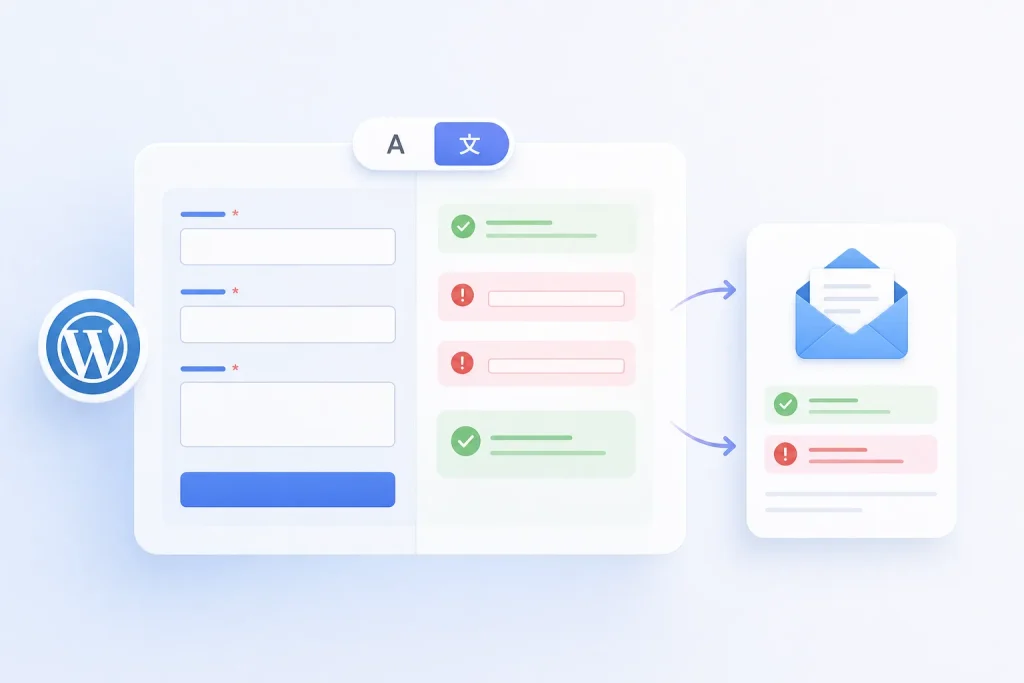
Forms are not just translated text fields. They combine labels, placeholders, validation messages, hidden fields, redirects, and stored submissions. In a multilingual environment, each of those pieces can behave differently. The visible labels may translate correctly while the validation message remains in the wrong language, or the form may submit to the right endpoint but preserve the wrong language context after submission.
Testing should confirm that the form’s frontend language matches the page language, that required-field and error states are readable in that language, and that any post-submit redirect returns the visitor to the correct localized page. If the plugin stores submissions or sends notifications, verify whether those records are meant to be language-specific or language-neutral. The failure mode here is often not broken submission, but mismatched context that makes the form feel disconnected from the page the visitor used.
If a form depends on hidden metadata, prefilled values, or conditional logic, those dependencies should be checked per language. A translated page can expose different field labels or different linked content, and the plugin must not assume that the same field identifiers or display text apply everywhere.
WooCommerce adds product, cart, and checkout dependencies
WooCommerce compatibility in multilingual sites extends beyond product descriptions. Product titles, variations, attributes, categories, and linked assets can all be language-aware, and the plugin must preserve the relationship between the translated product and the underlying commerce data. If a plugin touches product pages, it should be tested against the translated product view, not only the default-language catalog entry.
Cart and checkout flows are especially sensitive because they combine dynamic state with language-specific content. A plugin that injects notices, modifies totals, adds metadata, or changes checkout fields can behave correctly on a single product page and still fail once the cart carries translated products or language-specific labels. The key question is whether the plugin respects the active language while the shopper moves through the purchase flow.
Operationally, this means checking that product-linked output, transactional text, and any plugin-owned data attached to orders or line items remain coherent across languages. If the plugin stores references to products, categories, or custom fields, those references should be validated against the translated equivalents rather than assumed to be globally interchangeable.
Treat routing, permalinks, and canonical signals as part of compatibility
A multilingual plugin can render the right content and still fail at the URL layer. Permalinks, language prefixes, translated slugs, and routing rules determine whether visitors reach the intended page in the first place. If a plugin generates links, redirects, or archive URLs, those outputs need to be checked in each language context so they resolve to the correct destination.
Canonical signals matter because they influence how translated pages are interpreted as related or duplicate content. A plugin that alters page output, injects alternate links, or rewrites URLs can interfere with the site’s language relationships if it does not respect the multilingual structure. The compatibility question is not whether the page loads, but whether the page resolves consistently within the site’s language model.
This is also where content relationships become operational rather than editorial. A translated page may need to point to a language-specific sibling, while a plugin-generated link may need to preserve the current language context. If routing or canonical behavior is wrong, the frontend can appear functional while search and navigation signals drift out of alignment.
Use a testing matrix that follows data, rendering, and state
A useful compatibility framework is to test each plugin feature across three dimensions: where the data lives, how it renders, and whether the frontend state changes by language. That means checking stored options, post meta, custom fields, plugin-owned data, and relationships; then checking blocks, templates, forms, product pages, and dynamic output; then checking redirects, validation, cart state, and language-specific navigation.
This approach avoids a common trap: declaring a plugin compatible because its settings page translates cleanly. A plugin can pass admin-side checks and still fail when a translated post loads the wrong metadata, when a dynamic block reuses cached output from another language, or when a form submission returns the visitor to the wrong locale. The matrix forces each feature to be tested where it actually operates.
For implementers, the practical decision is whether a plugin’s multilingual behavior is deterministic, language-aware, or language-neutral. Deterministic features should behave the same in every language. Language-aware features should resolve the correct localized content or state. Language-neutral features should remain stable without leaking language-specific assumptions into storage or rendering.
Frequently asked questions
What is the most common mistake when testing multilingual plugin compatibility?
Testing only the translated text in the admin or on a single page. That misses routing, metadata, dynamic rendering, and frontend state, which are often where multilingual failures appear.
Do configuration-only settings need the same multilingual testing as frontend content?
Not the same tests, but they still need validation. Configuration should remain stable across languages, and any setting that influences frontend output must be checked in the language contexts where it is used.
Why are blocks and templates treated separately in multilingual testing?
Because blocks can carry dynamic attributes or rendered data, while templates control structure and content relationships. A block may translate correctly inside a template that still routes or resolves the wrong language content.
What should be checked for plugins that affect WooCommerce pages?
Product-level language behavior, cart and checkout state, translated labels, and any plugin-owned data attached to products or orders. The main risk is that commerce data and language context drift apart during the purchase flow.
How do canonical signals fit into plugin compatibility testing?
They are part of the URL and language model. If a plugin changes links or output without respecting language relationships, it can create inconsistent routing or duplicate-content signals across translated pages.
SOURCES & EVIDENCE
PUT THE ARCHITECTURE TO WORK
See how WordPress integrations behave in a multilingual system
Explore plugin-specific compatibility, translation surfaces and implementation notes in the REEID Integration Directory.

Elementor Website Builder
REEID has verified Elementor Website Builder compatibility with 3 visitor-facing translation surfaces currently published for this integration.

WooCommerce
REEID has verified WooCommerce compatibility with 3 visitor-facing translation surfaces currently published for this integration.

Advanced Custom Fields (ACF®)
REEID has tested and verified Advanced Custom Fields (ACF®) compatibility with REEID Translate. No specific visitor-facing translation field is currently published for this integration.