
BRIKPANEL: WOOCOMMERCE DASHBOARD, ABANDONED CART RECOVERY, GOOGLE SHEETS SYNC, INVENTORY MANAGEMENT & BULK EDITOR
BrikPanel: WooCommerce Dashboard, Abandoned Cart Recovery, Google Sheets Sync, Inventory Management & Bulk Editor compatibility with REEID Translate
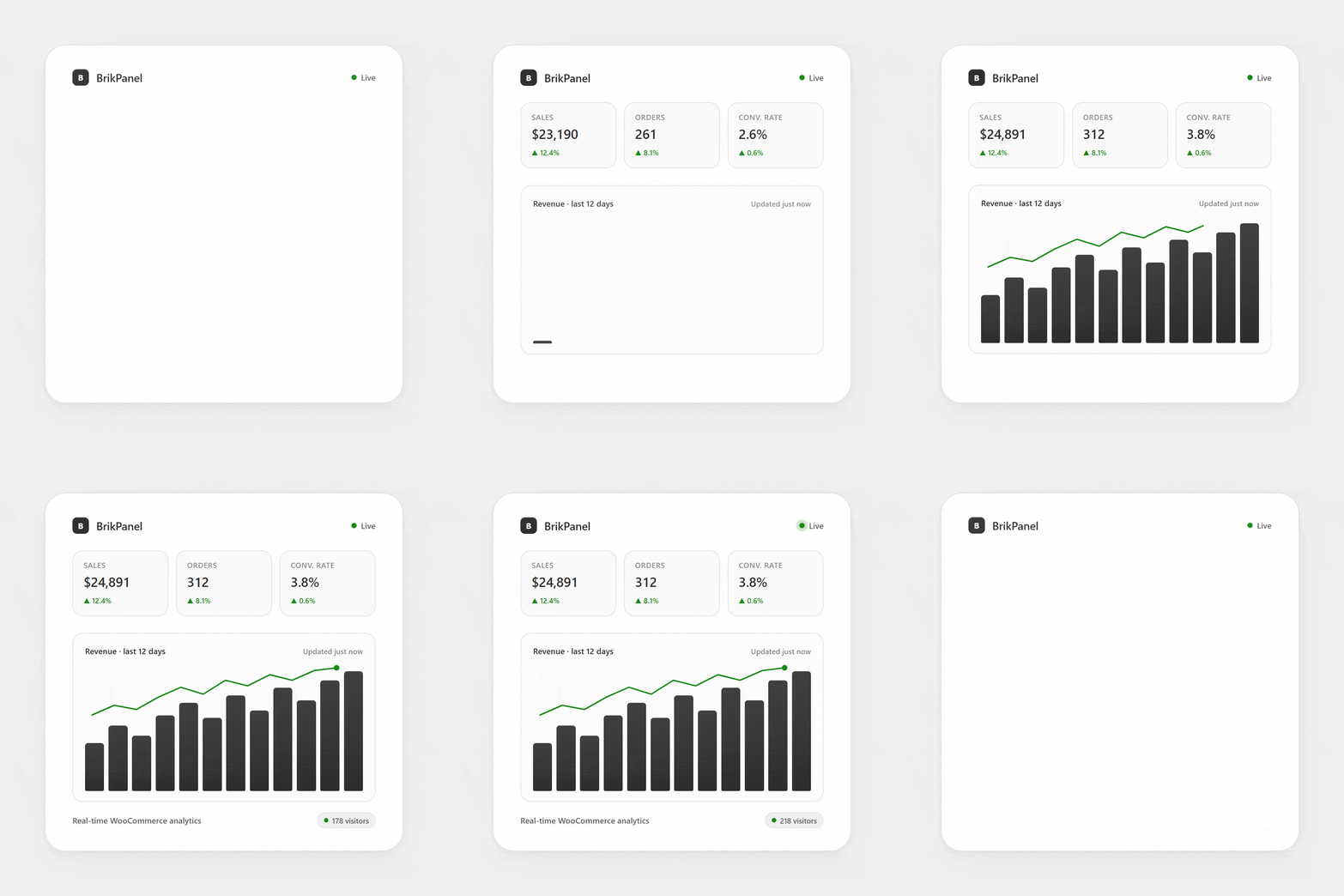
BrikPanel: WooCommerce Dashboard, Abandoned Cart Recovery, Google Sheets Sync, Inventory Management & Bulk Editor compatibility with REEID Translate is being reviewed using official plugin documentation. Self-hosted WooCommerce analytics dashboard with real-time sales KPIs (e.g., total sales/orders/AOV) and period-over-period deltas, rendered in wp-admin (Chart.js mentioned). No specific text shown to visitors is currently confirmed for translation.
AWAITING VERIFICATION
What BrikPanel: WooCommerce Dashboard, Abandoned Cart Recovery, Google Sheets Sync, Inventory Management & Bulk Editor does
Official plugin information supports the compatibility context documented for this category.
MANUAL REVIEW
This integration has not yet been manually verified by REEID.
PLUGIN PROFILE
BrikPanel: WooCommerce Dashboard, Abandoned Cart Recovery, Google Sheets Sync, Inventory Management & Bulk Editor is documented in the Analytics category with 7 documented features.
DOCUMENTATION REVIEW
We use official plugin documentation to describe what the plugin does. Translation support is listed only for text that can be identified and tested.
COMPATIBILITY REVIEW
How BrikPanel: WooCommerce Dashboard, Abandoned Cart Recovery, Google Sheets Sync, Inventory Management & Bulk Editor compatibility is evaluated
01 · Review official plugin documentation
Confirm documented plugin behaviour before making multilingual compatibility claims.
02 · Identify text shown to visitors
Check whether the documented features display text that visitors can read.
03 · Separate content from functionality
Structure, settings, logic, integrations and runtime behaviour are not treated as translatable content unless they include specific visible text.
04 · Confirm what can be translated
List supported content only after specific text shown to visitors has been identified and can be validated.
PLUGIN INFORMATION
What the plugin does
Plugin capabilities
- Self-hosted WooCommerce analytics dashboard with real-time sales KPIs (e.g., total sales/orders/AOV) and period-over-period deltas, rendered in wp-admin (Chart.js mentioned).
- Live visitor tracking and conversion funnel tracking computed from store data (visitors → add-to-cart → checkout → orders), with a dashboard funnel visualization.
- Live visitors widget that refreshes on an interval (default stated as 30 seconds) and reports page/cart status; visitor IPs are not stored, only salted SHA-256 hashes, with live visitor data kept in a short-lived cache (not permanently in the database).
- Privacy/consent controls for analytics: ability to disable front-end visitor tracking entirely; ability to wait for cookie consent via WordPress Consent API or via provided JS functions/filters; when consent is withdrawn, plugin deletes its own cookies/browser storage and stops tracking immediately.
- Cart abandonment capture and cart recovery workflow: captures checkout email for shoppers who do not complete checkout (including classic and block checkout, and logged-in add-to-cart), stores cart snapshots down to variation level, and moves carts through Active → Abandoned → Recovered; optional single-use recovery coupon popup.
- Google Sheets sync integration for orders/customers/analytics snapshots: real-time order sync appends rows within seconds (one row per line item/variation columns), scheduled exports (hourly/4h/daily catch-up) with idempotency to avoid duplicate rows, and analytics snapshot tabs refreshed on an interval.
- Optional ad spend/ROAS/net profit reporting via Google Ads and Meta Ads: pulls daily spend and computes ROAS and net profit (revenue − COGS − ad spend − manual expenses), with multi-currency handling described; integration described as OAuth-based and spend-and-profit focused (no pixel/multi-touch attribution claimed in evidence).
TRANSLATION BOUNDARY
BrikPanel: WooCommerce Dashboard, Abandoned Cart Recovery, Google Sheets Sync, Inventory Management & Bulk Editor capabilities and translatable content are documented separately.
Official documentation describes the plugin functionality, but does not currently identify specific text shown to visitors that can be translated.
A feature is not considered translatable unless it includes text that users can read.
LIMITATIONS & QA
Verification notes
- This integration is documented for compatibility context. Visitor-facing translation scope is not listed for this category.
FREQUENTLY ASKED QUESTIONS
BrikPanel: WooCommerce Dashboard, Abandoned Cart Recovery, Google Sheets Sync, Inventory Management & Bulk Editor and REEID Translate FAQ.
What does BrikPanel: WooCommerce Dashboard, Abandoned Cart Recovery, Google Sheets Sync, Inventory Management & Bulk Editor do?
BrikPanel: WooCommerce Dashboard, Abandoned Cart Recovery, Google Sheets Sync, Inventory Management & Bulk Editor has 7 documented features listed in its official documentation. See the Plugin Information section for details.
Does BrikPanel: WooCommerce Dashboard, Abandoned Cart Recovery, Google Sheets Sync, Inventory Management & Bulk Editor have any content currently confirmed for translation?
No specific content is currently confirmed for translation in this integration.
What needs to be confirmed before translating content from BrikPanel: WooCommerce Dashboard, Abandoned Cart Recovery, Google Sheets Sync, Inventory Management & Bulk Editor?
Official documentation must identify specific text, such as labels, titles, descriptions or messages, that can be tested in the integration.
RELATED GUIDES
Explore more compatibility guides.
COMPATIBILITY INFORMATION
Evaluate BrikPanel: WooCommerce Dashboard, Abandoned Cart Recovery, Google Sheets Sync, Inventory Management & Bulk Editor in a multilingual WordPress workflow.
REEID documents BrikPanel: WooCommerce Dashboard, Abandoned Cart Recovery, Google Sheets Sync, Inventory Management & Bulk Editor functionality separately from confirmed translation support so the distinction is clear.
Supported content will be listed when specific translatable text is identified in the official documentation.