
DIRECTORIO DE COMPATIBILIDAD DE REEID
Explora los productos de WordPress y su REEID Translate compatibilidad.
Explora plugins, temas, constructores y ecosistemas de productos de WordPress, con el estado de compatibilidad y detalles de integración para REEID Translate Pro.
Integraciones verificadas · Información de compatibilidad · Productos pendientes de verificación · Directorio buscable
CÓMO FUNCIONA EL DIRECTORIO
Información de compatibilidad, gestionada desde una única fuente.
Encuentra productos relevantes para tu pila de WordPress y verifica su estado actual de compatibilidad con REEID.
- Busca por nombre del producto
- Consulta el estado de compatibilidad
- Abre las guías de integración disponibles
GUÍAS DE COMPATIBILIDAD PUBLICADAS
Explora el ecosistema de WordPress con REEID Translate.
Busque por nombre de producto para ver el estado de compatibilidad, la documentación de integración disponible y los flujos de trabajo multilingües compatibles.

Show IDs by Echo
Show IDs by Echo — Admin-screen ID reveal for multiple content types: posts, pages, categories, tags, comments, custom post types, custom taxonomies, users, and media.

Show IP address
Show IP address — Determines and displays the current visitor's IP address via shortcode

Show Language Counts for Polylang
Show Language Counts for Polylang — Displays per-language post and product counts in an admin info box above list tables.
Show Me The Cookies
Show Me The Cookies — Displays a comprehensive list of all current cookies used by the WordPress site.

Show modified Date in admin lists
Show modified Date in admin lists — Adds a modified-date column to WordPress admin lists for posts and pages.

Show More for Elementor – SEO Friendly
Show More for Elementor – SEO Friendly — Provides an Elementor widget that hides part of text and reveals it via a click action (Show More / Read More behavior).
Show only lowest prices in variable products for WooCommerce
Show only lowest prices in variable products for WooCommerce — Shows only the lowest available price for WooCommerce variable products.

Show Orders Shortcode for WooCommerce
Show Orders Shortcode for WooCommerce — Provides a single shortcode to display the logged-in customer’s WooCommerce orders on pages/posts/widget areas.
Show page after captcha Solve
Show page after captcha Solve — Protects specific WordPress pages by requiring Google reCAPTCHA v2 verification before displaying content

Show Page URL
Show Page URL — Adds a URL column to the WordPress Dashboard 'All Pages' list view.

Show Pages URL List
Show Pages URL List — Displays organized URL lists for pages, posts, categories, and tags in a single admin view
Show Post ID with Sorting
Show Post ID with Sorting — Adds a sortable Post ID column to the WordPress admin dashboard for posts, pages, and custom post types

Show Post In lightbox
Show Post In lightbox — Provides a `[ostlist]` shortcode to list posts from specific categories on pages or posts.

Show Post Shortcode
Show Post Shortcode — Displays a bulleted list of posts using the [showposts] shortcode.
Show Product Sales Count for WooCommerce
Show Product Sales Count for WooCommerce — Displays how many times each product has been sold on a WooCommerce store.

Show Recaptcha Where Nedeed
Show Recaptcha Where Nedeed — Restricts Contact Form 7 Recaptcha v3 loading to pages containing contact forms

Show Remote IP
Show Remote IP — Provides a shortcode to display the client's remote IP address
Show Shipping Class in Product Page for WooCommerce
Show Shipping Class in Product Page for WooCommerce — Displays WooCommerce shipping classes on product and shop pages automatically without configuration.
Show State Field for WooCommerce
Show State Field for WooCommerce — Adds a Billing/Shipping state field to the WooCommerce checkout for selected countries.
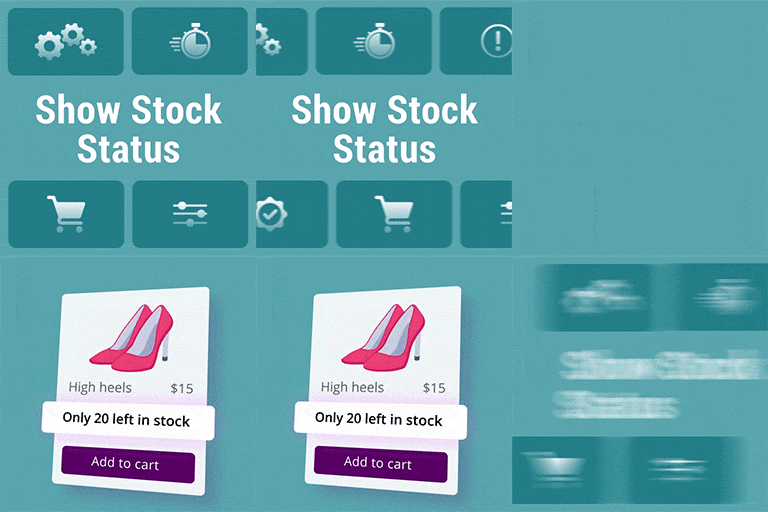
Show Stock Status for WooCommerce
Show Stock Status for WooCommerce — Displays “stock quantity” under each product on shop, category, and archive pages

Show Support Ribbon
Show Support Ribbon — Displays customizable support ribbons, banners, or badges with four built-in styles (Badge, Banner, Ribbon, Link) and a Custom HTML/CSS option.

Show template by shortcode for Elementor
Show template by shortcode for Elementor — Displays Elementor sections, canvas templates, and saved templates anywhere on a WordPress site.

Show Theme in Footer
Show Theme in Footer — Displays active theme name and version in the WordPress Admin Footer

Show user avatar
Show user avatar — Displays the currently logged-in user's avatar via a shortcode