
DIRECTORIO DE COMPATIBILIDAD DE REEID
Explora los productos de WordPress y su REEID Translate compatibilidad.
Explora plugins, temas, constructores y ecosistemas de productos de WordPress, con el estado de compatibilidad y detalles de integración para REEID Translate Pro.
Integraciones verificadas · Información de compatibilidad · Productos pendientes de verificación · Directorio buscable
CÓMO FUNCIONA EL DIRECTORIO
Información de compatibilidad, gestionada desde una única fuente.
Encuentra productos relevantes para tu pila de WordPress y verifica su estado actual de compatibilidad con REEID.
- Busca por nombre del producto
- Consulta el estado de compatibilidad
- Abre las guías de integración disponibles
GUÍAS DE COMPATIBILIDAD PUBLICADAS
Explora el ecosistema de WordPress con REEID Translate.
Busque por nombre de producto para ver el estado de compatibilidad, la documentación de integración disponible y los flujos de trabajo multilingües compatibles.

Change Add To Cart Button Text WC
Change Add To Cart Button Text WC — Changes the 'Add to Cart' button text on WooCommerce single product pages

Change Admin Email
WordPress plugin for changing the site admin email from the admin settings area without sending a server confirmation email.

Change Administration Email
Change Administration Email — Adds a 'Confirm Immediately' notice to the General Settings Administration Email Address field

Change Administrator Email Address
Change Administrator Email Address — Restores pre-WordPress 4.9 admin email change functionality.

Change Author Base
Change Author Base — ,customization of the WordPress author base URL slug via the Permalinks settings page

Change Author Link Structure
Change Author Link Structure — Hides usernames in author permalinks by replacing them with the author's ID

Change background color from bright to dark
Change background color from bright to dark — Automatically changes the website background color from bright to dark upon activation.

Change Category Checkbox to Radio Button
Change Category Checkbox to Radio Button — Automatically converts category and taxonomy checkboxes to radio buttons in the post editor

Change class in viewport: create animations with pure CSS
Change class in viewport: create animations with pure CSS — Adds 'in-viewport' class when elements enter the viewport and 'not-in-viewport' class when they exit

Change Colors for WooCommerce
Change Colors for WooCommerce — It allows users to change WooCommerce colors and default styles.
Change Debug Log Location
Change Debug Log Location — Relocates the WordPress debug log file from wp-content to the main directory.

Change Default Email Sender Name
Change Default Email Sender Name — Modifies the sender name for outgoing WordPress emails

Change Default Mail Sender Email and Name
Change Default Mail Sender Email and Name — Overrides the default WordPress 'From' name for all outgoing emails

Change Excerpt Length
Change Excerpt Length — Adds an Excerpt Length field to the WordPress Reading Settings section

Change From Address
Change From Address — Allows customization of the default sender name for all WordPress emails

Change Howdy
Change Howdy — Replaces the default 'Howdy' greeting in the WordPress admin bar with custom text via a settings screen.

Change Last Modified Date
Change Last Modified Date — Provides functionality to change or prevent updating the “last modified” date for individual posts when active.

Change Mail Sender
Change Mail Sender — Changes the default WordPress sender email address and sender name for outgoing emails.

Change Payment Description for WooCommerce
Change Payment Description for WooCommerce — Provides a GUI interface on the WooCommerce settings page to add text and run it on the site instead of using custom snippets in a theme’s functions.php file.

Change Price Title for WooCommerce
Change Price Title for WooCommerce — Rename, replace, or hide the WooCommerce price title (price label) globally or per product.
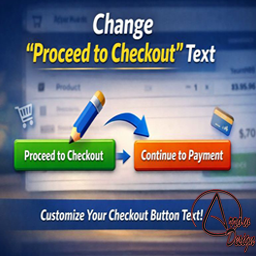
Change Proceed To Checkout Text
Change Proceed To Checkout Text — Provides a settings screen to change the WooCommerce “Proceed to Checkout” button text without code.

Change Product Author For WooCommerce
Change Product Author For WooCommerce — Adds support for the WooCommerce product post type field labeled 'author'.

Change Quantity on Checkout for WooCommerce
Change Quantity on Checkout for WooCommerce — Lets customers change item quantities during WooCommerce checkout.

Change Sender ID
Change Sender ID — Overrides the default WordPress sender name for outgoing emails