
NAVEGACIÓN DE WORDPRESS
Integraciones de navegación de WordPress para REEID Translate
Explore la compatibilidad documentada con los complementos de navegación y menús de WordPress, preservando la jerarquía del menú, sus destinos y su presentación.
COMPATIBILIDAD DE NAVEGACIÓN
Explore las integraciones de navegación de WordPress.
Encuentre guías de compatibilidad publicadas para complementos de navegación y etiquetas de menú multilingües compatibles, así como texto de navegación visible para los visitantes.
Remove Taxonomy URL
Remove Taxonomy URL — , strips base taxonomy slugs from term URLs to create clean permalinks

Remove Tools Menu
Remove Tools Menu — Removes the default WordPress Admin Tools menu item from the navigation structure upon activation.

Remove WPML Menu Sync
Remove WPML Menu Sync — Hides the WPML menu synchronization link from the WordPress Appearance > Menus admin page.

Reorder Multisite Sites Dropdown
Reorder Multisite Sites Dropdown — , Drag-and-drop reordering of sites within the WordPress Multisite My Sites admin bar dropdown.

ReOrder Posts within Categories
ReOrder Posts within Categories — Provides manual drag-and-drop ordering of posts and custom post types within a selected taxonomy term.

Replai Mega Menu – Multi-column dropdown menus
Replai Mega Menu – Multi-column dropdown menus — Upgrades native WordPress menus into responsive mega menus by enabling a mega panel on top-level items in **Appearance → Menus** (with per-item mega-panel options).

Responsive Menu – Create Mobile-Friendly Menu
Responsive Menu turns an existing WordPress menu into a mobile-friendly hamburger menu with off-canvas slide-in behavior and configurable opening directions.
Responsive Mobile Select Menu
Responsive Mobile Select Menu — , automatically converts standard WordPress menus into touch-friendly dropdowns on mobile devices while leaving desktop navigation unchanged.

Responsive Navigation Block
Responsive Navigation Block — Creates distinct Navigation block variations for Mobile and Desktop screen sizes

Responsive Select Menu
Responsive Select Menu — Automatically converts an existing WordPress 3 menu (UL-based) into a mobile select-box/dropdown navigation UI.

Responsive Vertical Icon Menu
Responsive Vertical Icon Menu — Displays WordPress menus as responsive vertical icon-based widgets

Restaurant Menu Cart
Restaurant Menu Cart — Injects a shopping cart button directly into the WordPress navigation bar

Restore Link Title Field
Restore Link Title Field — Restores the missing “title” field in the WordPress Insert/Edit URL box (replacing the Link Text field introduced in core).
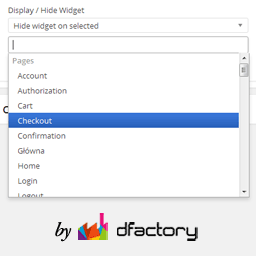
Restrict Widgets
Restrict Widgets — Widget visibility control based on page/post context (including pages, posts, categories, custom taxonomies, custom post types, single posts, archives, and special pages).

RestroPress – Menu Cart
RestroPress – Menu Cart — Integrates a cart menu item into the WordPress primary navigation menu.

RestroPress – Sliding Cart
RestroPress – Sliding Cart — Adds a “RestroPress” entry to the WordPress admin left navigation bar after activation (per plugin readme installation instructions).

Return shortlink button
Return shortlink button — Restores the 'shortlink' button to the post/page edit screen interface

Right Click Menu
Right Click Menu — Displays a site navigation menu triggered by right-clicking anywhere on the frontend pages

Right Click Menu Builder – Custom Context Menu Maker
Right Click Menu Builder – Custom Context Menu Maker — Overrides the browser’s default context menu with a customizable WordPress right-click menu.
RoarDev Mega Menu Builder
RoarDev Mega Menu Builder — Mega menu content creation via Gutenberg blocks or Elementor widgets within a dedicated Custom Post Type

Rockon All in One
Rockon All in One — Generates breadcrumb trails for posts, pages, hierarchical categories, custom post types, archives, search results, and 404s via shortcode or template function

RPWS Taxonomy Filter Lite
RPWS Taxonomy Filter Lite — Provides an Elementor Pro widget (“Taxonomy Filter Lite”) intended to filter an Elementor Loop Grid using a dropdown UI.

RSS Feed Checker
RSS Feed Checker — Scans blogroll links for RSS feeds and stores the name and URL of the latest article in a dedicated database table

Ruby Mega Menu
Ruby Mega Menu — Supports three distinct menu types: Classic Dropdown (up to 3 nested levels), Classic Mega Menu (multi-column layouts with images/lists), and Content Tabs (vertical blog post displays).