
NAVEGACIÓN DE WORDPRESS
Integraciones de navegación de WordPress para REEID Translate
Explore la compatibilidad documentada con los complementos de navegación y menús de WordPress, preservando la jerarquía del menú, sus destinos y su presentación.
COMPATIBILIDAD DE NAVEGACIÓN
Explore las integraciones de navegación de WordPress.
Encuentre guías de compatibilidad publicadas para complementos de navegación y etiquetas de menú multilingües compatibles, así como texto de navegación visible para los visitantes.

Categories to Tags Converter
WordPress plugin for selectively converting existing categories and tags, accessed from Tools -> Import.

Categories2menu
Categories2menu — dynamically generates navigation menus from existing WooCommerce product categories

Categorized Tag Cloud
Categorized Tag Cloud — Generates a tag cloud widget for sidebars based on the most used tags in the WordPress site.
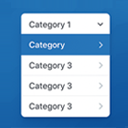
Category Accordion for WooCommerce
Category Accordion for WooCommerce — Provides an accordion presentation for WooCommerce product categories and subcategories, with expand/collapse toggle functionality.
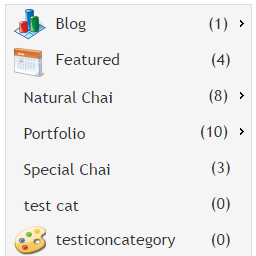
Category and Subcategory List Widget
Category and Subcategory List Widget — Renders category and subcategory lists in a horizontal menu pattern

Category Dropdown by GCS Design
Category Dropdown by GCS Design — displays hierarchical parent and child categories in a dropdown interface
Category Filter Block
Category Filter Block — Filters posts in the standard Query Loop block by category without a page refresh (AJAX + Interactivity API).
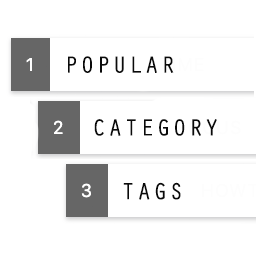
Category Popular Tags
Category Popular Tags — Renders tag links as standard anchor elements pointing to WordPress archive URLs

Category Post Page List Widget
Category Post Page List Widget — dynamically lists pages or posts from a selected category in widget areas
Category Posts in Custom Menu
Category Posts in Custom Menu — Dynamically replaces taxonomy archive links in WordPress menus with individual post or page entries.

Category Search Explorer
Category Search Explorer — Leverages native WordPress taxonomy queries to provide search functionality for categories, tags, and custom taxonomies.

Category Submenu Builder
Category Submenu Builder — Builds navigation structures from WordPress post categories and/or WooCommerce product categories, including nested submenus and mega-menu layouts.

Category- and Tag-Feeds
Category- and Tag-Feeds — Provides Gutenberg blocks, Elementor widgets, classic widgets, and shortcodes to display lists of category and tag feeds

CC Child Pages
CC Child Pages displays WordPress child pages in responsive grid or list layouts, with shortcode, Gutenberg block, and Elementor widget support.
CC Duplicate Menu
CC Duplicate Menu — duplicates existing WordPress navigation menus via a dedicated button in the menu editor

CC-Redirects
CC-Redirects — Supports Apache-style redirect syntax with relative paths from the website root.
cclin Smart Table of Contents
cclin Smart Table of Contents — Automatically extracts and structures hierarchical Table of Contents from H2 to H6 headings with configurable levels.

Change Author Link Structure
Change Author Link Structure — Hides usernames in author permalinks by replacing them with the author's ID

Classic Menu Accessible (A11y)
Classic Menu Accessible (A11y) — Enhances native WordPress classic menu dropdowns with WCAG 2.2 AA, RGAA, and AnySurfer compliance.

Classic Menu Block
Classic Menu Block — Renders classic WordPress menu data inside the Navigation block for backward compatibility.

Classic Menu in Navigation Block
Classic Menu in Navigation Block — Renders classic WordPress menus within the native Navigation block in Full Site Editing (FSE) themes

Classic Menu Sync for Block
Classic Menu Sync for Block — Synchronizes classic WordPress menus with Navigation blocks using the native WP_Classic_To_Block_Menu_Converter

Classic Menus for Block Themes
Classic Menus for Block Themes — restores the legacy 'Appearance > Menus' management interface within block-based WordPress themes

Clean Menus
Clean Menus — Filters navigation menu items based on post status to exclude drafts, pending reviews, future posts, private entries, and trashed content.