
WORDPRESS NAVIGATION
WordPress नेविगेशन के लिए REEID Translate एकीकरण
मेनू पदानुक्रम, गंतव्य और प्रस्तुति को संरक्षित रखते हुए, WordPress नेविगेशन और मेनू प्लगइन्स के साथ दस्तावेजीकृत संगतता का अन्वेषण करें।
NAVIGATION COMPATIBILITY
WordPress नेविगेशन एकीकरणों को ब्राउज़ करें।
नेविगेशन प्लगइन्स और समर्थित बहुभाषीय मेनू लेबल तथा आगंतुक-संबंधी नेविगेशन पाठ के लिए प्रकाशित संगतता गाइड खोजें।

Remove invalid menu items
Remove invalid menu items — Adds a 'Delete invalid menu items' button to the WordPress Appearance > Menus interface.

Remove Profile Dropdown in Admin Bar
Remove Profile Dropdown in Admin Bar — Replaces the profile dropdown menu in the WordPress admin bar with a static Log Out link.

Remove Taxonomy Base Slug
Remove Taxonomy Base Slug — Removes a selected taxonomy base slug from taxonomy permalinks, turning URLs like `/taxonomy/term/` into `/term/`.
Remove Taxonomy URL
Remove Taxonomy URL — , strips base taxonomy slugs from term URLs to create clean permalinks

Remove Tools Menu
Remove Tools Menu — Removes the default WordPress Admin Tools menu item from the navigation structure upon activation.

Remove WPML Menu Sync
Remove WPML Menu Sync — Hides the WPML menu synchronization link from the WordPress Appearance > Menus admin page.

Reorder Multisite Sites Dropdown
Reorder Multisite Sites Dropdown — , Drag-and-drop reordering of sites within the WordPress Multisite My Sites admin bar dropdown.

ReOrder Posts within Categories
ReOrder Posts within Categories — Provides manual drag-and-drop ordering of posts and custom post types within a selected taxonomy term.

Replai Mega Menu – Multi-column dropdown menus
Replai Mega Menu – Multi-column dropdown menus — Upgrades native WordPress menus into responsive mega menus by enabling a mega panel on top-level items in **Appearance → Menus** (with per-item mega-panel options).

Responsive Menu – Create Mobile-Friendly Menu
Responsive Menu turns an existing WordPress menu into a mobile-friendly hamburger menu with off-canvas slide-in behavior and configurable opening directions.
Responsive Mobile Select Menu
Responsive Mobile Select Menu — , automatically converts standard WordPress menus into touch-friendly dropdowns on mobile devices while leaving desktop navigation unchanged.

Responsive Navigation Block
Responsive Navigation Block — Creates distinct Navigation block variations for Mobile and Desktop screen sizes

Responsive Post with Category Tab
Responsive Post with Category Tab — Renders category-based navigation tabs using a shortcode interface

Responsive Select Menu
Responsive Select Menu — Automatically converts an existing WordPress 3 menu (UL-based) into a mobile select-box/dropdown navigation UI.

Responsive Vertical Icon Menu
Responsive Vertical Icon Menu — Displays WordPress menus as responsive vertical icon-based widgets

Restaurant Menu Cart
Restaurant Menu Cart — Injects a shopping cart button directly into the WordPress navigation bar

Restore Link Title Field
Restore Link Title Field — Restores the missing “title” field in the WordPress Insert/Edit URL box (replacing the Link Text field introduced in core).
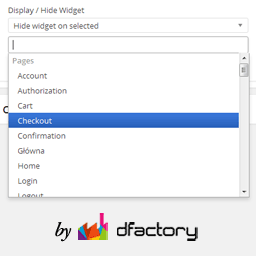
Restrict Widgets
Restrict Widgets — Widget visibility control based on page/post context (including pages, posts, categories, custom taxonomies, custom post types, single posts, archives, and special pages).
RestroPress – Menu Cart
RestroPress – Menu Cart — Integrates a cart menu item into the WordPress primary navigation menu.

RestroPress – Sliding Cart
RestroPress – Sliding Cart — Adds a “RestroPress” entry to the WordPress admin left navigation bar after activation (per plugin readme installation instructions).

Return shortlink button
Return shortlink button — Restores the 'shortlink' button to the post/page edit screen interface

Rewrite Bases Internationalization
Rewrite Bases Internationalization — Customizes rewrite bases for author archives, search results, comments, and page pagination slugs.

Rich Menu Details: Icons & Subtext
Rich Menu Details: Icons & Subtext — Adds icons and descriptive subtext to WordPress menu items via the Appearance > Menus interface

Right Click Menu
Right Click Menu — Displays a site navigation menu triggered by right-clicking anywhere on the frontend pages