
DAFTAR KOMPATIBILITAS REEID
Jelajahi produk WordPress dan kompatibilitasnya dengan REEID Translate.
Telusuri plugin, tema, pembangun situs, dan ekosistem produk WordPress, lengkap dengan status kompatibilitas dan detail integrasi untuk REEID Translate Pro.
Integrasi terverifikasi · Informasi kompatibilitas · Produk yang menunggu verifikasi · Direktori yang dapat dicari
CARA KERJA DIREKTORI
Informasi kompatibilitas, dikelola dari satu sumber.
Temukan produk yang relevan dengan tumpukan WordPress Anda dan periksa status kompatibilitas REEID mereka saat ini.
- Cari berdasarkan nama produk
- Menelusuri status kompatibilitas
- Buka panduan integrasi yang tersedia
PANDUAN KOMPATIBILITAS YANG TELAH DITERBITKAN
Jelajahi ekosistem WordPress dengan REEID Translate.
Cari berdasarkan nama produk untuk melihat status kompatibilitas, dokumentasi integrasi yang tersedia, dan alur kerja multibahasa yang didukung.

Block Animations, Motion & Scroll Effects – Ghost Kit
Block Animations, Motion & Scroll Effects – Ghost Kit adds motion effects and related block enhancements for WordPress content. Translation scope is not established for any content surface in the provided set.

Block Archive.org via WordPress robots.txt
Block Archive.org via WordPress robots.txt — Modifies the WordPress virtual robots.txt file to append specific directives blocking Archive.org crawlers

Block Audit
Block Audit — Scans core WordPress blocks and nested structures for accessibility issues like missing ALT text, empty headings, skipped heading levels, and links without readable text.

Block Bloglovin Iframe
Block Bloglovin Iframe — , automatically redirects Bloglovin iframes to the original blog post URL
Block Catalog
Block Catalog — Indexes Gutenberg blocks used across the site and stores results in a WordPress taxonomy (requires initial indexing).
Block Class Manager – Global CSS Classes & Responsive Styles for Gutenberg
Block Class Manager – Global CSS Classes & Responsive Styles for Gutenberg — Generates frontend CSS automatically from its Global Class/responsive styling workflow (described as “Automatic frontend CSS generation” and “Generate optimized frontend CSS automatically”).

Block Collections
Block Collections — , registers custom Gutenberg blocks for design titles, text controls, checkboxes, selects, processes, code highlighting, tables, buttons, and groups.

Block Context
Block Context — Hides individual Gutenberg editor blocks based on the current user’s status (block visibility is user-status dependent).

Block Control
Block Control — Conditional block display rules based on device type (e.g., desktop/mobile/screen reader)

Block Controller
Block Controller — Enable or disable specific Gutenberg content blocks for site administrators

Block Data Attribute
Block Data Attribute — Attaches custom HTML data-* attributes to core WordPress blocks via the block editor sidebar.

Block Designer – Create Custom Blocks for Gutenberg Editor
Block Designer – Create Custom Blocks for Gutenberg Editor — Allows users to design custom blocks for the WordPress Gutenberg editor without writing code.

Block Editor Bootstrap Blocks
Block Editor Bootstrap Blocks — Provides Bootstrap 5 responsive layout blocks including container, row, and column components for the Gutenberg editor.

Block Editor Colors
Block Editor Colors — Provides a global sitewide configuration for Gutenberg block editor colors (including editing default Gutenberg block editor colors and theme-registered editor colors).

Block Editor Disabler
Block Editor Disabler — Disables the Gutenberg block editor for specific pages, all pages, or all posts.

Block Editor for Products
Block Editor for Products — Official plugin information documents its primary functionality.
Block Editor Image Filename Prompt
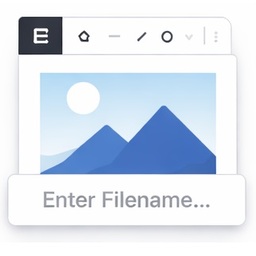
Block Editor Image Filename Prompt — Intercepts image paste in the WordPress block editor and opens a dialog to collect filename and media details before uploading.

Block Editor Roles
Block Editor Roles — Manages Gutenberg block permissions for specific user roles

Block Editor Templates
Block Editor Templates — Adds an admin UI under wp-admin > Block Templates to create/manage block editor templates without programming.

Block Editor: Reverse Columns on Mobile
Block Editor: Reverse Columns on Mobile — Adds a "Reverse on Mobile" option to the Columns, Row, Stack and Media & Text blocks in the Gutenberg block editor.

Block Emails & Addresses for WooCommerce Checkout
Block Emails & Addresses for WooCommerce Checkout — Rejects WooCommerce checkout attempts before payment is taken when customer-provided email, shipping address, phone, name, or IP matches configured block rules.

Block Enhancements – Extended styling for the Block Editor
Block Enhancements – Extended styling for the Block Editor — Adds design options to core Gutenberg blocks, including icons and responsive styling controls.

Block External Requests
Block External Requests — Blocks external HTTP requests by host, domain, or URL fragment to improve administration speed

Block Finder
Block Finder — Adds a dashboard widget to search for core and custom blocks across the entire site