
기타 워드프레스 통합
REEID Translate에 대한 기타 워드프레스 통합
전용 호환성 카테고리에 속하지 않는 워드프레스 플러그인 및 통합에 대한 문서화된 호환성을 살펴보세요.
기타 호환성
다른 워드프레스 통합을 둘러보세요.
보다 광범위한 워드프레스 생태계 전반에서 게시된 호환성 가이드를 찾아보고, 지원되는 방문자용 콘텐츠가 다국어 워크플로우에 어떻게 참여하는지 검토해 보세요.

Portfolio Pro Advance
Portfolio Pro Advance — {"text": "Provides multiple portfolio display layouts including Justified and List (Free) and Grid and Masonry (Pro).", "evidence": "The free version includes Justified and List layouts. The Pro version unlocks Grid and Masonry layouts.", "source_url": "https://petruthit.com/portfolio-pro-advance"}

Portfolio, Gallery, Product Catalog – Grid KIT Portfolio
Portfolio, Gallery, Product Catalog – Grid KIT Portfolio — Builds portfolio, gallery, product catalog, team member, client/sponsor logo, and album-style layouts.

Post Admin Word Count
Post Admin Word Count — Adds a sortable 'Words' column to the WordPress admin post list for all public post types
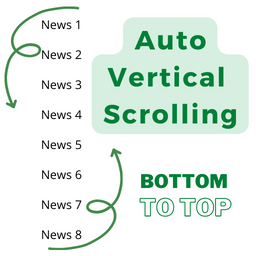
Post Auto Vertical Scrolling
Post Auto Vertical Scrolling — Displays posts or custom post types in an auto-scrolling vertical ticker format moving bottom to top.

Post Calendar by Gelform
Post Calendar by Gelform — Replaces the standard WordPress post list view with a calendar-based interface for managing posts and pages.

Post Category Filter (WP Admin)
Post Category Filter (WP Admin) — Adds a real-time search box to WordPress admin category and taxonomy lists

Post Comments as bbPress Topics
Post Comments as bbPress Topics — Replaces standard WordPress comments on posts with bbPress forum topics

Post Content Shortcode
Post Content Shortcode — Official plugin information documents its primary functionality.

Post Count Tracker
Post Count Tracker — Automatically appends a post view count to the end of post content upon activation.

Post Date Randomizer
Post Date Randomizer — Bulk randomizes publication dates for published posts and approved comments.

Post Descriptions
Post Descriptions — Adds a dedicated column to the WordPress admin posts and pages overview for displaying descriptions

Post Digest
Post Digest — Gutenberg block integration for inserting AI summary buttons into posts
Post DuplicateX – Advanced Post Duplicator
Post DuplicateX – Advanced Post Duplicator — Duplicates posts, pages, and custom post types via single-click actions in list views, editors, or admin toolbar

Post Duplicator
Post Duplicator duplicates posts and custom post types, copying content and related post data while allowing selected fields to be changed during duplication.

Post Duplicator Plus
Post Duplicator Plus — Adds a 'Duplicate' action button to the post and page list views in the WordPress admin.

Post Engagement – Like Dislike, Share, Views, Star Rating, Favorites & Copy Posts
Post Engagement – Like Dislike, Share, Views, Star Rating, Favorites & Copy Posts — Official plugin information documents its primary functionality.

Post Forwarder
Post Forwarder — Syndicates WordPress posts to other WordPress sites via REST API with taxonomy mapping, featured image support, and ACF field compatibility.

Post from RSS
Post from RSS — , fetches RSS feed items from a specified URL and automatically creates WordPress posts.

Post Grid
Post Grid is a WordPress plugin for displaying posts, pages, and custom post types in grid, slider, and masonry layouts with filtering, archive queries, and layout templates.

Post Grid Master — Post Grids & AJAX Filters
Post Grid Master — Post Grids & AJAX Filters — , shortcode generator with preview capabilities for easy grid creation and placement in themes or page builders.

Post Kinds
Post Kinds — Implements IndieWeb post kinds (e.g., Reply, Like, Note, Bookmark) for the Classic Editor to standardize content types.

Post List Designer – Category Post, Recent Post, Post List
Post List Designer – Category Post, Recent Post, Post List — Displays WordPress posts in list, archive, and minimal designs via shortcodes.

Post Meta
Post Meta — Manages custom post meta fields and groups with a jQuery/AJAX-based interface.

Post Meta Data Manager
Post Meta Data Manager — View, edit, search, and manage post meta keys and values directly within the post editing screen metabox