
기타 워드프레스 통합
REEID Translate에 대한 기타 워드프레스 통합
전용 호환성 카테고리에 속하지 않는 워드프레스 플러그인 및 통합에 대한 문서화된 호환성을 살펴보세요.
기타 호환성
다른 워드프레스 통합을 둘러보세요.
보다 광범위한 워드프레스 생태계 전반에서 게시된 호환성 가이드를 찾아보고, 지원되는 방문자용 콘텐츠가 다국어 워크플로우에 어떻게 참여하는지 검토해 보세요.

Bubblibot – GPT-5 Chatbot for WordPress
Bubblibot – GPT-5 Chatbot for WordPress — Integrates with OpenAI API using user-provided keys to generate chatbot responses

Bublly
Bublly — Embeds the Bublly live chat widget automatically on all front-end pages of the WordPress site.

BuddyBot – OpenAI Assistants, AI Chatbots and Support Agents for WordPress
BuddyBot – OpenAI Assistants, AI Chatbots and Support Agents for WordPress — Native integration with OpenAI Assistants API for creating and managing AI chatbots within WordPress admin.

BuddyPress Activity Filter
BuddyPress Activity Filter — Allows administrators to set distinct default activity filters for site-wide and profile-specific activity streams.

BuddyPress Activity Shortcode
BuddyPress Activity Shortcode — Inserts BuddyPress activity streams into posts and pages using the [activity-stream] shortcode.

BuddyPress Default Data
BuddyPress Default Data — Generates synthetic BuddyPress data including users, messages, friends connections, groups, topics, activity items, and profile fields for testing purposes.

BuddyPress Docs
BuddyPress Docs — Creates collaborative Docs in BuddyPress communities.

BuddyPress Simple Events
BuddyPress Simple Events — Enables front-end creation, editing, and deletion of events via a dedicated profile tab

Bug Animation
Bug Animation — Injects animated fly and spider visual effects directly into the document body

Bugalou Live Chat – Free Live Chat Widget
Bugalou Live Chat – Free Live Chat Widget — Integrates Bugalou external customer service platform into WordPress via a chat widget.

BugHerd
BugHerd — WordPress plugin connects a site to a BugHerd project using a Project Key entered in the plugin settings.

BugSnag Error Monitoring plugin
BugSnag Error Monitoring plugin — Automatically detects PHP crashes, exceptions, and errors within WordPress core and installed plugins.

BugTrace – Debug Log Tool
BugTrace – Debug Log Tool — Dashboard-based toggling of WordPress debugging constants (WP_DEBUG, WP_DEBUG_LOG, WP_DEBUG_DISPLAY, SCRIPT_DEBUG) without code editing

Build a House
Build a House — Tracks and logs construction expenses throughout the building process.

Build Mode – Maintenance Mode & Coming Soon Page
Build Mode – Maintenance Mode & Coming Soon Page — Displays a custom maintenance or coming-soon page by rendering only the content area of a selected WordPress page, automatically stripping header, footer, and navigation elements.

Build Trigger for Gatsby
Build Trigger for Gatsby — Triggers Gatsby builds via webhook URL upon post, page, or custom post type saves and updates.

Buildli
Buildli — Integrates self-hosted WordPress sites with an external AI chat interface via REST endpoints and Application Passwords.

BuildNatively – Convert Your WordPress & WooCommerce to a Mobile App
BuildNatively – Convert Your WordPress & WooCommerce to a Mobile App — Converts WordPress and WooCommerce sites into native iOS and Android mobile applications without requiring custom mobile development.
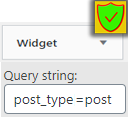
Built-in Widgets Query extend (Custom Post Types & more)
Built-in Widgets Query extend (Custom Post Types & more) — Extends WordPress built-in widgets to support custom query arguments.

Buk for WordPress
Buk for WordPress — Provides a WordPress shortcode named `buk` that accepts a `slug` parameter tied to a BUK.app account (e.g., `[buk slug="example"]`).

Bukza
Bukza — Embeds a hosted Bukza booking widget into WordPress pages/admin via shortcodes, with widget display options including inline, popup, and right-side panel.

Bulgaro GDPR
Bulgaro GDPR — GDPR cookie consent banner with Accept, Necessary only, and category preferences options

Bulk Classic to Block
Bulk Classic to Block — Automated bulk conversion of Classic Editor content to Gutenberg blocks

Bulk Content Toolkit
Bulk Content Toolkit — Exposes custom post meta fields in the native WordPress Quick Edit row and Bulk Edit panel (configured via Settings → Bulk Edit).