
REEID-KOMPATIBILITÄTSVERZEICHNIS
Entdecken Sie WordPress-Produkte und ihre REEID Translate Kompatibilität.
Durchsuchen Sie WordPress-Plugins, Themes, Page Builder und Produktökosysteme mit Angaben zum Kompatibilitätsstatus und zu den Integrationsdetails für REEID Translate Pro.
Geprüfte Integrationen · Kompatibilitätsinformationen · Produkte in der Prüfung · Durchsuchbares Verzeichnis
SO FUNKTIONIERT DAS VERZEICHNIS
Kompatibilitätsinformationen, zentral verwaltet.
Finden Sie Produkte, die zu Ihrem WordPress-Stack passen, und prüfen Sie deren aktuellen REEID-Kompatibilitätsstatus.
- Nach Produktnamen suchen
- Kompatibilitätsstatus durchsuchen
- Verfügbare Integrationsleitfäden öffnen
VERÖFFENTLICHTE KOMPATIBILITÄTSANLEITUNGEN
Entdecken Sie das WordPress-Ökosystem mit REEID Translate.
Suchen Sie nach dem Produktnamen, um den Kompatibilitätsstatus, die verfügbare Integrationsdokumentation und die unterstützten mehrsprachigen Workflows anzuzeigen.

Block Editor Colors
Block Editor Colors — Provides a global sitewide configuration for Gutenberg block editor colors (including editing default Gutenberg block editor colors and theme-registered editor colors).

Block Editor Disabler
Block Editor Disabler — Disables the Gutenberg block editor for specific pages, all pages, or all posts.

Block Editor for Products
Block Editor for Products — Official plugin information documents its primary functionality.
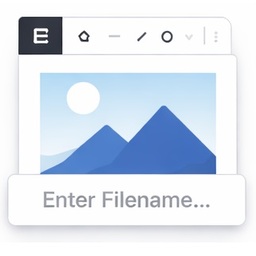
Block Editor Image Filename Prompt
Block Editor Image Filename Prompt — Intercepts image paste in the WordPress block editor and opens a dialog to collect filename and media details before uploading.

Block Editor Roles
Block Editor Roles — Manages Gutenberg block permissions for specific user roles

Block Editor Templates
Block Editor Templates — Adds an admin UI under wp-admin > Block Templates to create/manage block editor templates without programming.

Block Editor: Reverse Columns on Mobile
Block Editor: Reverse Columns on Mobile — Adds a "Reverse on Mobile" option to the Columns, Row, Stack and Media & Text blocks in the Gutenberg block editor.

Block Emails & Addresses for WooCommerce Checkout
Block Emails & Addresses for WooCommerce Checkout — Rejects WooCommerce checkout attempts before payment is taken when customer-provided email, shipping address, phone, name, or IP matches configured block rules.

Block Enhancements – Extended styling for the Block Editor
Block Enhancements – Extended styling for the Block Editor — Adds design options to core Gutenberg blocks, including icons and responsive styling controls.

Block External Requests
Block External Requests — Blocks external HTTP requests by host, domain, or URL fragment to improve administration speed

Block Finder
Block Finder — Adds a dashboard widget to search for core and custom blocks across the entire site

Block for Apple Maps
Block for Apple Maps — It integrates Apple's MapKit JS into a dedicated block for the WordPress block editor (Gutenberg).

Block for Font Awesome
Block for Font Awesome — Displays Font Awesome 5, 6, and 7 icons as Gutenberg editor blocks
Block for Mailchimp – grow your email list with signup forms
Block for Mailchimp – grow your email list with signup forms — Adds Mailchimp email subscription forms to WordPress using a Gutenberg block

Block for Openverse – add free stock media without leaving the editor
Block for Openverse – add free stock media without leaving the editor — Gutenberg block that lets users search and insert Openverse images or audio directly into posts/pages

Block for Strava
Block for Strava — Embeds Strava activities, routes, and segments into WordPress posts and pages using official interactive maps.

Block Gallery to Carousel Lightbox
Block Gallery to Carousel Lightbox — Official plugin information documents its primary functionality.

Block Icons: Google Library Collection
Block Icons: Google Library Collection — It adds a dedicated Icon block to the WordPress Gutenberg editor for inserting Google Material Symbols.

Block Inserter Filter
Block Inserter Filter — Allows administrators to hide individual Gutenberg blocks from the block inserter site-wide without writing code.

Block IP Address for WooCommerce
Block IP Address for WooCommerce — Blocks individual IP addresses from accessing WooCommerce shop, homepage, or specific product categories.

Block IPs for Gravity Forms
Block IPs for Gravity Forms — Prevents specific IP addresses from submitting Gravity Forms requests
Block Layout Exporter
Block Layout Exporter — Design reusable content layouts using the Gutenberg editor

Block Ledger
Block Ledger — Provides a control plane for the WordPress block editor without adding content blocks.

Block List Updater
Block List Updater — Automatically synchronizes WordPress’s built-in comment block list with a curated global list hosted on GitHub.