
DIRECTORIO DE COMPATIBILIDAD DE REEID
Explora los productos de WordPress y su REEID Translate compatibilidad.
Explora plugins, temas, constructores y ecosistemas de productos de WordPress, con el estado de compatibilidad y detalles de integración para REEID Translate Pro.
Integraciones verificadas · Información de compatibilidad · Productos pendientes de verificación · Directorio buscable
CÓMO FUNCIONA EL DIRECTORIO
Información de compatibilidad, gestionada desde una única fuente.
Encuentra productos relevantes para tu pila de WordPress y verifica su estado actual de compatibilidad con REEID.
- Busca por nombre del producto
- Consulta el estado de compatibilidad
- Abre las guías de integración disponibles
GUÍAS DE COMPATIBILIDAD PUBLICADAS
Explora el ecosistema de WordPress con REEID Translate.
Busque por nombre de producto para ver el estado de compatibilidad, la documentación de integración disponible y los flujos de trabajo multilingües compatibles.

Block Editor Colors
Block Editor Colors — Provides a global sitewide configuration for Gutenberg block editor colors (including editing default Gutenberg block editor colors and theme-registered editor colors).

Block Editor Disabler
Block Editor Disabler — Disables the Gutenberg block editor for specific pages, all pages, or all posts.

Block Editor for Products
Block Editor for Products — Official plugin information documents its primary functionality.
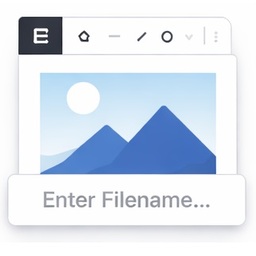
Block Editor Image Filename Prompt
Block Editor Image Filename Prompt — Intercepts image paste in the WordPress block editor and opens a dialog to collect filename and media details before uploading.

Block Editor Roles
Block Editor Roles — Manages Gutenberg block permissions for specific user roles

Block Editor Templates
Block Editor Templates — Adds an admin UI under wp-admin > Block Templates to create/manage block editor templates without programming.

Block Editor: Reverse Columns on Mobile
Block Editor: Reverse Columns on Mobile — Adds a "Reverse on Mobile" option to the Columns, Row, Stack and Media & Text blocks in the Gutenberg block editor.

Block Emails & Addresses for WooCommerce Checkout
Block Emails & Addresses for WooCommerce Checkout — Rejects WooCommerce checkout attempts before payment is taken when customer-provided email, shipping address, phone, name, or IP matches configured block rules.

Block Enhancements – Extended styling for the Block Editor
Block Enhancements – Extended styling for the Block Editor — Adds design options to core Gutenberg blocks, including icons and responsive styling controls.

Block External Requests
Block External Requests — Blocks external HTTP requests by host, domain, or URL fragment to improve administration speed

Block Finder
Block Finder — Adds a dashboard widget to search for core and custom blocks across the entire site

Block for Apple Maps
Block for Apple Maps — It integrates Apple's MapKit JS into a dedicated block for the WordPress block editor (Gutenberg).

Block for Font Awesome
Block for Font Awesome — Displays Font Awesome 5, 6, and 7 icons as Gutenberg editor blocks
Block for Mailchimp – grow your email list with signup forms
Block for Mailchimp – grow your email list with signup forms — Adds Mailchimp email subscription forms to WordPress using a Gutenberg block

Block for Openverse – add free stock media without leaving the editor
Block for Openverse – add free stock media without leaving the editor — Gutenberg block that lets users search and insert Openverse images or audio directly into posts/pages

Block for Strava
Block for Strava — Embeds Strava activities, routes, and segments into WordPress posts and pages using official interactive maps.

Block Gallery to Carousel Lightbox
Block Gallery to Carousel Lightbox — Official plugin information documents its primary functionality.

Block Icons: Google Library Collection
Block Icons: Google Library Collection — It adds a dedicated Icon block to the WordPress Gutenberg editor for inserting Google Material Symbols.

Block Inserter Filter
Block Inserter Filter — Allows administrators to hide individual Gutenberg blocks from the block inserter site-wide without writing code.

Block IP Address for WooCommerce
Block IP Address for WooCommerce — Blocks individual IP addresses from accessing WooCommerce shop, homepage, or specific product categories.

Block IPs for Gravity Forms
Block IPs for Gravity Forms — Prevents specific IP addresses from submitting Gravity Forms requests
Block Layout Exporter
Block Layout Exporter — Design reusable content layouts using the Gutenberg editor

Block Ledger
Block Ledger — Provides a control plane for the WordPress block editor without adding content blocks.

Block List Updater
Block List Updater — Automatically synchronizes WordPress’s built-in comment block list with a curated global list hosted on GitHub.