
REEID 互換性ディレクトリ
WordPress の製品とその REEID Translate との互換性を探索しましょう。
WordPress のプラグイン、テーマ、ビルダー、製品エコシステムを閲覧し、REEID Translate Pro との互換性ステータスや統合の詳細をご確認ください。
認証済みの統合・互換性情報・認証待ちの製品・検索可能なディレクトリ
ディレクトリの仕組み
互換性情報は一つのソースから管理されます。
お客様の WordPress スタックに関連する製品を見つけ、現在の REEID との互換性ステータスを確認してください。
- 製品名で検索
- 互換性ステータスを閲覧
- 利用可能な統合ガイドを開く
公開済みの互換性ガイド
REEID Translate で WordPress のエコシステムを探索しましょう。
製品名で検索すると、互換性のステータス、利用可能な統合ドキュメント、およびサポートされている多言語ワークフローを確認できます。

deAU クラウド法人情報 API
deAU クラウド法人情報 API — Retrieves Japanese corporate data via the deAU Cloud Corporate Information web app API
Debanics – Debug Log Analyzer
Debanics – Debug Log Analyzer — Toggles WP_DEBUG, WP_DEBUG_LOG, and WP_DEBUG_DISPLAY settings from the admin dashboard

Debi Payment for WooCommerce
Debi Payment for WooCommerce — Adds a Debi payment method to WooCommerce checkout for credit and debit card payments.

Debloat – Remove Unused CSS, Optimize JS
Debloat – Remove Unused CSS, Optimize JS — Optimizes CSS delivery to reduce render-blocking, including minifying and inlining CSS.

Debloat for WooCommerce
Debloat for WooCommerce — Disables WooCommerce Admin features, including Analytics, Home dashboard, and Notification Bar to reduce server resource usage.

DeBlocker Plus
DeBlocker Plus — Detects ad blockers and displays customizable popups or overlays

Debmedia WebPush
Debmedia WebPush — Integrates WordPress with the external PushPro service to enable browser push notifications without requiring user email addresses or app installations.

DeBounce Email Validator
DeBounce Email Validator — Validates email addresses in real-time for WordPress forms including WooCommerce, Contact Form 7, Gravity Forms, and WPForms.

Debrandify · Remove or Replace WordPress Branding
Debrandify · Remove or Replace WordPress Branding — Customizes WordPress dashboard and email branding by removing or replacing default logos and text

Debug
Debug — Toggles core WordPress debug constants (WP_DEBUG, WP_DEBUG_LOG, WP_DEBUG_DISPLAY, SCRIPT_DEBUG, SAVEQUERIES) via admin UI without manual wp-config.php editing
Debug Bar – Enable WP_DEBUG from admin dashboard
Debug Bar – Enable WP_DEBUG from admin dashboard — Toggles WP_DEBUG mode via a single click on the Admin Toolbar
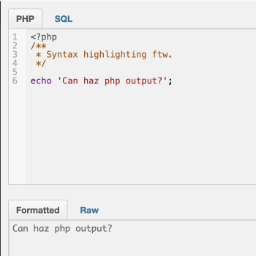
Debug Bar Console
Debug Bar Console — , adds a PHP console to the WordPress debug bar for executing code snippets

Debug Bar Rewrite Rules
Debug Bar Rewrite Rules — Displays the current rewrite rules for the WordPress site within the Debug Bar interface.

Debug Console for PHP
Debug Console for PHP — Provides comprehensive logging methods including log, info, warn, error, group, assert, count, table, trace, and time.

Debug log admin viewer
Debug log admin viewer — Modifies debug-related constants in wp-config.php directly from the WordPress admin panel

Debug Log Manager – Conveniently Monitor and Inspect Errors
Debug Log Manager – Conveniently Monitor and Inspect Errors — Can enable and disable WP_DEBUG from the WordPress admin without manually editing wp-config.php.
Debug Log Manager Tool
Debug Log Manager Tool — Admin-side debug log viewing and management: read, search, filter/group, copy, and clear entries from `wp-content/debug.log` via a WordPress admin UI.
Debug Log Router
Debug Log Router — Routes WordPress debug logs into seven distinct files based on request context (front, admin, ajax, rest, cron, cli, xmlrpc)

Debug Log Viewer
Debug Log Viewer — Provides a real-time log viewer interface within the WordPress admin dashboard to monitor debug.log entries without external file access.

Debug Manager Pro
Debug Manager Pro — Toggles WordPress debug constants (WP_DEBUG, WP_DEBUG_LOG, etc.) via UI without modifying wp-config.php directly.
Debug MO Translations
Debug MO Translations — Displays debug information about all loaded translation domains and MO files in the WordPress installation
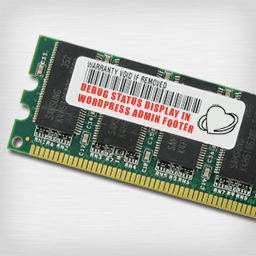
Debug Status display
Debug Status display — Displays WP_DEBUG status in the admin footer with visual indicators (orange for active, strikethrough for inactive)

Debug Suite
Debug Suite — Provides a browser-based PHP REPL (Query Console) allowing developers to execute code against the live WordPress runtime directly from the admin bar.

Debug Switch
Debug Switch — Toggles WordPress debug mode on and off via plugin activation state