
REEID 互換性ディレクトリ
WordPress の製品とその REEID Translate との互換性を探索しましょう。
WordPress のプラグイン、テーマ、ビルダー、製品エコシステムを閲覧し、REEID Translate Pro との互換性ステータスや統合の詳細をご確認ください。
認証済みの統合・互換性情報・認証待ちの製品・検索可能なディレクトリ
ディレクトリの仕組み
互換性情報は一つのソースから管理されます。
お客様の WordPress スタックに関連する製品を見つけ、現在の REEID との互換性ステータスを確認してください。
- 製品名で検索
- 互換性ステータスを閲覧
- 利用可能な統合ガイドを開く
公開済みの互換性ガイド
REEID Translate で WordPress のエコシステムを探索しましょう。
製品名で検索すると、互換性のステータス、利用可能な統合ドキュメント、およびサポートされている多言語ワークフローを確認できます。

Employee Directory – Staff & Team Directory
Employee Directory – Staff & Team Directory — Searchable employee/staff directory with employee pages and a filterable/browsable layout (photos, job titles, departments, bios).

Employee Directory – Staff Directory and Listing
Employee Directory – Staff Directory and Listing — Creates employee/staff directory listings and employee profile pages (including “Employee permalink” for a complete employee profile).

Employee Management System
Employee Management System — Manages employee profiles and tracks status (active, inactive, blocked) linked to WordPress users

Employee Spotlight – Team Member Showcase & Meet the Team Plugin
Employee Spotlight – Team Member Showcase & Meet the Team Plugin — Website builder plugin that generates a dedicated 'Meet the Team' page with responsive grid, list, panel, and carousel layouts for showcasing employee profiles.

Employee Verification & Document Authentication
Employee Verification & Document Authentication — Cryptographic verification system using unique 16-character IDs and QR codes for tamper-proof document authentication

Employee, Leave and Recruitment Management System – Crew HRM
Employee, Leave and Recruitment Management System – Crew HRM — Centralized dashboard for managing the entire recruitment lifecycle, including job posting, candidate review, and hiring stage tracking.

EmpRoster
EmpRoster — Self-hosted staff rostering and shift scheduling with no external API or SaaS dependencies

Empty Alt Image Container Swap
Empty Alt Image Container Swap — Converts tags to tags for image blocks with empty alt attributes during frontend rendering

Empty P Tag
Empty P Tag — Removes empty paragraph tags, including whitespace-only and non-breaking space content.

Empty Tags Remover
Empty Tags Remover — Adds a dedicated 'Remove empty tags' page to the WordPress admin interface

EMS Online
EMS Online — WooCommerce payment gateway integration supporting multiple methods including iDEAL, Klarna, and AfterPay

EMW Monitor Activity Log
EMW Monitor Activity Log — Logs user authentication events including login, failed login, logout, and password reset

En Spam
En Spam — Blocks bot comment submissions and form entries by requiring cookies and JavaScript execution.

Enable Abilities for MCP
Enable Abilities for MCP — Ability-level allow/deny control via an admin dashboard that toggles individual MCP “abilities” on or off.

Enable All Font Uploads
Enable All Font Uploads — Official plugin information documents its primary functionality.

Enable bbPress for Block Themes
Enable bbPress for Block Themes — Modifies the template hierarchy to enable bbPress content display within full site editing (FSE) block themes.

Enable Block Editor for WC Products
Enable Block Editor for WC Products — Enables the WordPress block editor (Gutenberg) for WooCommerce product edit screens.

Enable Cart Fragments
Enable Cart Fragments — Enables or disables WooCommerce cart fragments functionality via the WordPress Customizer.

Enable Classic Editor & Widgets
Enable Classic Editor & Widgets — unknowns

Enable Contributor Uploads
Enable Contributor Uploads — Grants the `upload_files` capability specifically to users with the Contributor role.
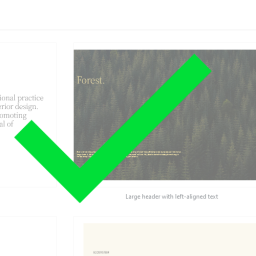
Enable Core Patterns
Enable Core Patterns — Re-enables core WordPress block patterns for themes that have removed support.

Enable CORS
Enable CORS — Adds CORS support for a WordPress site so cross-origin requests can be allowed.

Enable Database Tools
Enable Database Tools — Toggles visibility and access to WordPress built-in database tools via a settings checkbox
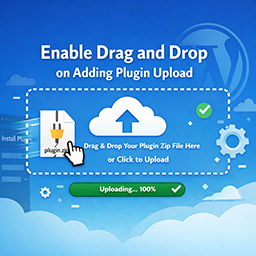
Enable Drag and Drop on Adding Plugin Upload
Enable Drag and Drop on Adding Plugin Upload — Enables drag-and-drop ZIP file uploads directly on the WordPress plugin installer page (plugin-install.php).