
КАТАЛОГ СОВМЕСТИМОСТИ REEID
Изучите продукты WordPress и их REEID Translate совместимость.
Просмотрите плагины, темы, конструкторы и экосистемы продуктов WordPress с информацией о совместимости и деталями интеграции для REEID Translate Pro.
Проверенные интеграции · Информация о совместимости · Продукты, ожидающие проверки · Каталог с возможностью поиска
КАК РАБОТАЕТ КАТАЛОГ
Информация о совместимости, управляемая из одного источника.
Найдите продукты, подходящие для вашей структуры WordPress, и проверьте их текущий статус совместимости с REEID.
- Поиск по названию продукта
- Просмотр статуса совместимости
- Открытие доступных руководств по интеграции
ОПУБЛИКОВАННЫЕ РУКОВОДСТВА ПО СОВМЕСТИМОСТИ
Исследуйте экосистему WordPress с REEID Translate.
Ищите по названию продукта, чтобы увидеть статус совместимости, доступную документацию по интеграции и поддерживаемые многоязычные рабочие процессы.

DeBlocker Plus
DeBlocker Plus — Detects ad blockers and displays customizable popups or overlays

Debmedia WebPush
Debmedia WebPush — Integrates WordPress with the external PushPro service to enable browser push notifications without requiring user email addresses or app installations.

DeBounce Email Validator
DeBounce Email Validator — Validates email addresses in real-time for WordPress forms including WooCommerce, Contact Form 7, Gravity Forms, and WPForms.

Debrandify · Remove or Replace WordPress Branding
Debrandify · Remove or Replace WordPress Branding — Customizes WordPress dashboard and email branding by removing or replacing default logos and text

Debug
Debug — Toggles core WordPress debug constants (WP_DEBUG, WP_DEBUG_LOG, WP_DEBUG_DISPLAY, SCRIPT_DEBUG, SAVEQUERIES) via admin UI without manual wp-config.php editing
Debug Bar – Enable WP_DEBUG from admin dashboard
Debug Bar – Enable WP_DEBUG from admin dashboard — Toggles WP_DEBUG mode via a single click on the Admin Toolbar
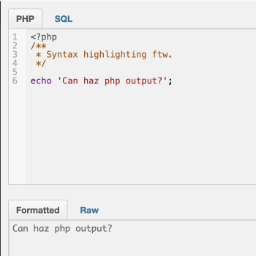
Debug Bar Console
Debug Bar Console — , adds a PHP console to the WordPress debug bar for executing code snippets

Debug Bar Rewrite Rules
Debug Bar Rewrite Rules — Displays the current rewrite rules for the WordPress site within the Debug Bar interface.

Debug Console for PHP
Debug Console for PHP — Provides comprehensive logging methods including log, info, warn, error, group, assert, count, table, trace, and time.

Debug log admin viewer
Debug log admin viewer — Modifies debug-related constants in wp-config.php directly from the WordPress admin panel

Debug Log Manager – Conveniently Monitor and Inspect Errors
Debug Log Manager – Conveniently Monitor and Inspect Errors — Can enable and disable WP_DEBUG from the WordPress admin without manually editing wp-config.php.
Debug Log Manager Tool
Debug Log Manager Tool — Admin-side debug log viewing and management: read, search, filter/group, copy, and clear entries from `wp-content/debug.log` via a WordPress admin UI.
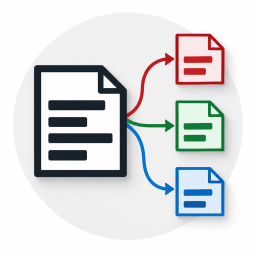
Debug Log Router
Debug Log Router — Routes WordPress debug logs into seven distinct files based on request context (front, admin, ajax, rest, cron, cli, xmlrpc)

Debug Log Viewer
Debug Log Viewer — Provides a real-time log viewer interface within the WordPress admin dashboard to monitor debug.log entries without external file access.

Debug Manager Pro
Debug Manager Pro — Toggles WordPress debug constants (WP_DEBUG, WP_DEBUG_LOG, etc.) via UI without modifying wp-config.php directly.
Debug MO Translations
Debug MO Translations — Displays debug information about all loaded translation domains and MO files in the WordPress installation
Debug Status display
Debug Status display — Displays WP_DEBUG status in the admin footer with visual indicators (orange for active, strikethrough for inactive)

Debug Suite
Debug Suite — Provides a browser-based PHP REPL (Query Console) allowing developers to execute code against the live WordPress runtime directly from the admin bar.

Debug Switch
Debug Switch — Toggles WordPress debug mode on and off via plugin activation state
Debug This
Debug This — Investigates WordPress installation details via front-end admin bar, including WP_Query objects, blog options, embed providers, and rendered HTML files.

Debug Toggle
Debug Toggle — Enables or disables individual WordPress debug constants such as WP_DEBUG, WP_DEBUG_LOG, WP_DEBUG_DISPLAY, SCRIPT_DEBUG, and SAVEQUERIES from the dashboard.
DebugBundle
DebugBundle — Captures PHP errors, uncaught exceptions, and fatal shutdowns from the WordPress backend.

Debugger & Troubleshooter
Debugger & Troubleshooter — .Session-based Troubleshooting Mode allows simulating plugin deactivation and theme switching for the current user without affecting live site visitors.

DebugHawk – WordPress Performance Monitoring & Debugging
DebugHawk – WordPress Performance Monitoring & Debugging — Monitors frontend Core Web Vitals (LCP, INP, CLS, TTFB, FCP) using Real User Monitoring (RUM)